
The Project
PROJECT VISION
A takeout app for a health-focused restaurant chain, Blue Tomato. Beyond providing its customers with high-quality dishes, the company values catering to those with dietary restrictions. For the ordering app, target users have busy schedules and prefer to eat at home or their place of work.
ROLE: Sole UX Researcher & Designer
DURATION: January - May 2022
Final Product
CHALLENGE
Users with busy schedules or who do not want to drive to restaurant locations need to receive their orders accurately and efficiently - likely because they do not have time to eat out or prefer the comfort of their own home.
SOLUTION
Blue Tomato will allow users to select pickup or delivery times in advance, which will affect customers with busy schedules by allowing them to receive their order on their terms.

Understanding the User
User Research
RESEARCH QUESTIONS
What information is important to users when ordering out?
How do users balance meal prep with their busy schedules?
How do users with specific dietary needs or restrictions determine their orders?
METHODOLOGY: SEMI-STRUCTURED IN-DEPTH USER INTERVIEW
To understand the main user groups, four individuals were interviewed on their takeout preferences and eating habits, along with how they balance their schedules with meal prep. Two interviewees were college students that also worked; they were both health-conscious, and one was vegan. The other two interviewees were middle-aged and had busy schedules, one of which stated eating healthy was a priority.

User Pain Points

FINDING MENU ITEMS
Several participants felt their ordering process could be faster if they could more easily select a frequently ordered item. Moving forward, I considered implementing a "recently ordered" tab.
CUSTOMIZATION
The interviewees expressed interest in giving specific instructions for some menu items. Thus, the ability to provide customizations should be available.
ON-TIME DELIVERY
Several participants expressed annoyance when their food would not arrive quickly or was not directly handed to them in the past. For the app, the ability to set specific time and drop-off preferences should be present.
VEGAN OPTIONS
A vegan interviewee said discerning the vegan options on a menu can be difficult. Designing the app, users should be able to easily see which menu items are vegan, and ingredients should be visible.
User Persona
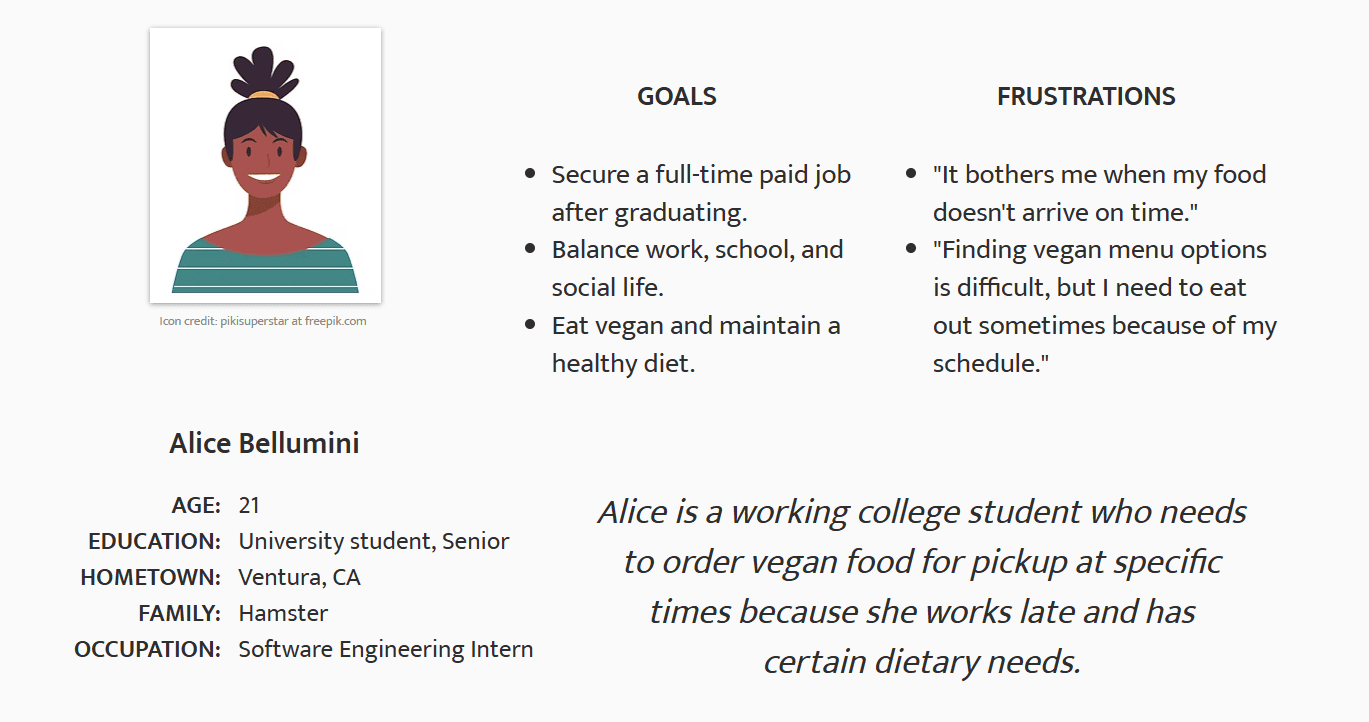
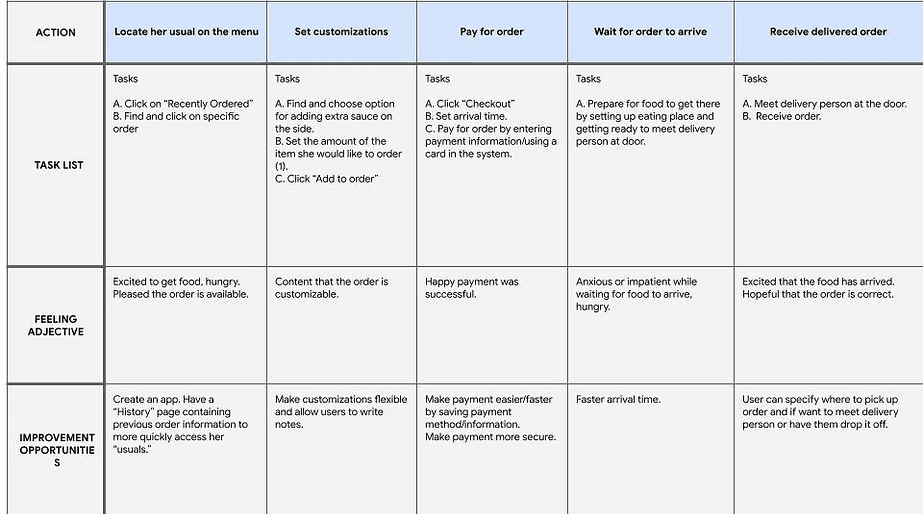
Alice's User Journey Map
She is likely tired and hungry after a long day.
Wants to order quickly and painlessly.
Uses a search function or a "recently ordered" tab.
Payment information is remembered for further ease of purchase.
Competitive Audit
In preparation to begin designing the app, a competitive audit was conducted to compare the in-app purchasing experience of businesses with similar offerings and/or audiences.
The key competitors I identified included Mendocino Farms, sweetgreen, Moonbowls, and Tocaya Modern Mexican. Each of these restaurants have menus featuring healthy foods and also focus on their delivery services.
The main potential market gaps identified centered on the accessibility of the apps: adding language settings, color contrast and alternate font settings.
Starting the Design

Paper Wireframes
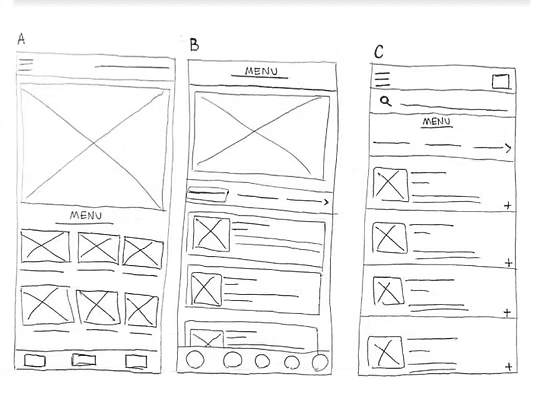
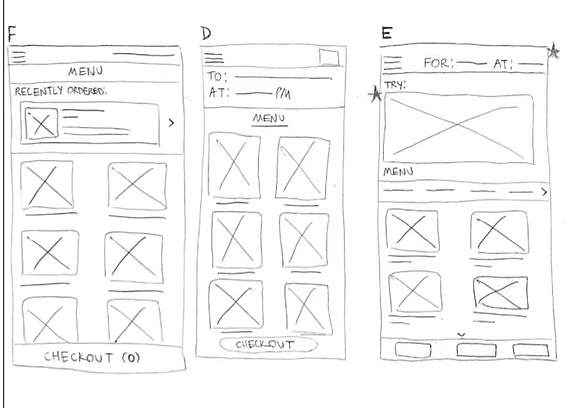
The initial wireframes for the main menu screen. My goal was to allow users to easily find menu items. Thus, I considered numerous organizational layouts, such as dividing the menu into submenus leading to new pages, or allowing the user to scroll through submenus within the same page. Wireframes A - D represent my initial thought process, and E and F represent more refined versions of the page.
Digital Wireframes
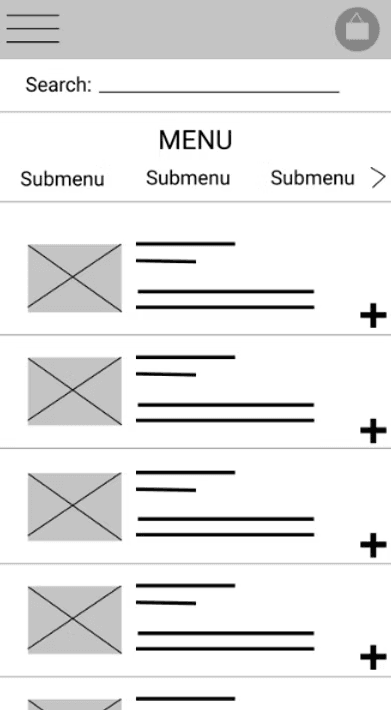
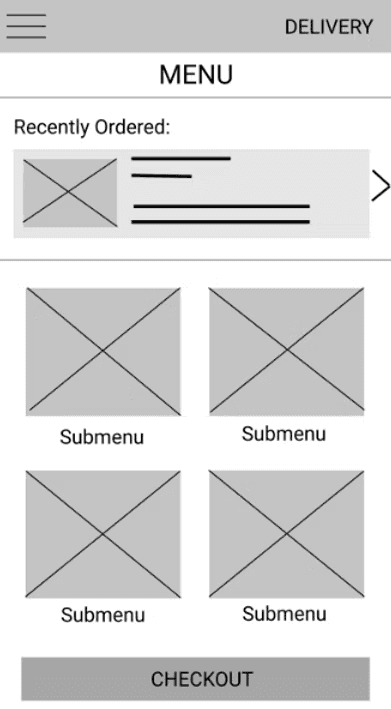
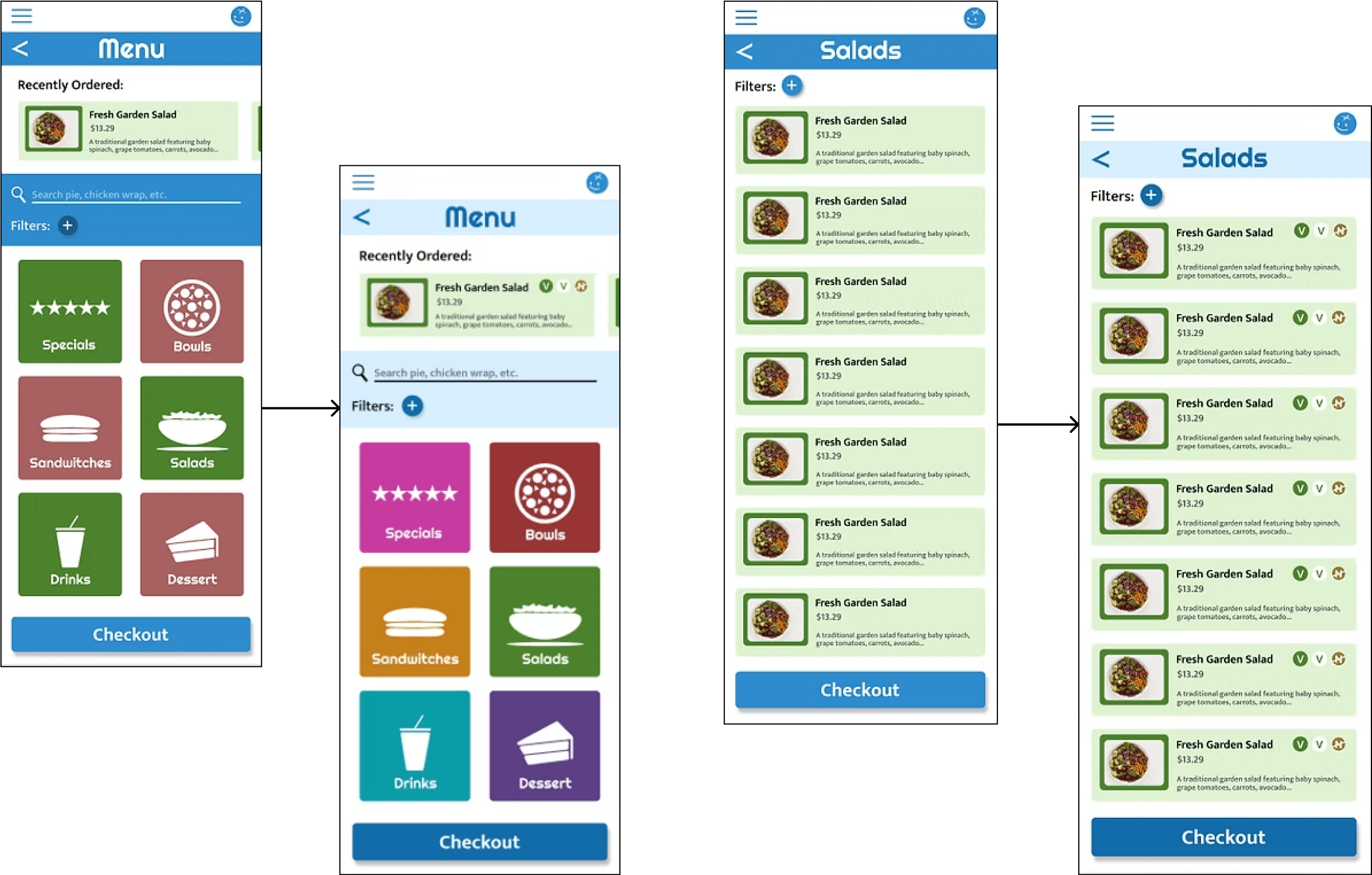
An initial wireframe for the menu screen (paper wireframe C ). For this screen, Pain Points 1 and 4 were my main concern as they dealt with finding menu items and discerning their ingredients, respectively. Search bars are common and intuitive, so I included one. I also made sure to include item descriptions on the menu page for consumers to consider the ingredients.
An initial wireframe for the menu screen (paper wireframe F + A). While I had previously considered Pain Points 1 and 4, here I focus on helping users, regular and new, to order. With the search bar, it would have taken more time to type the order than to simply find it through a history tab, or navigation through an effectively organized menu.

Low-Fidelity Prototype
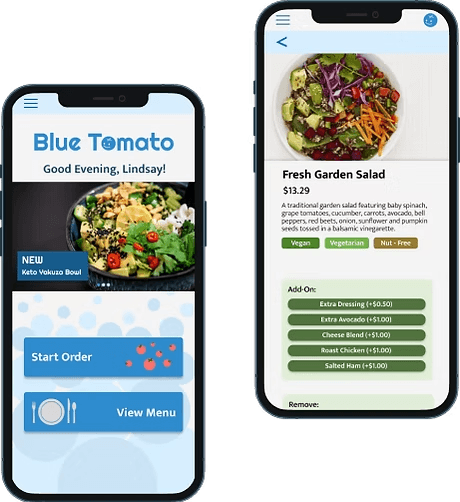
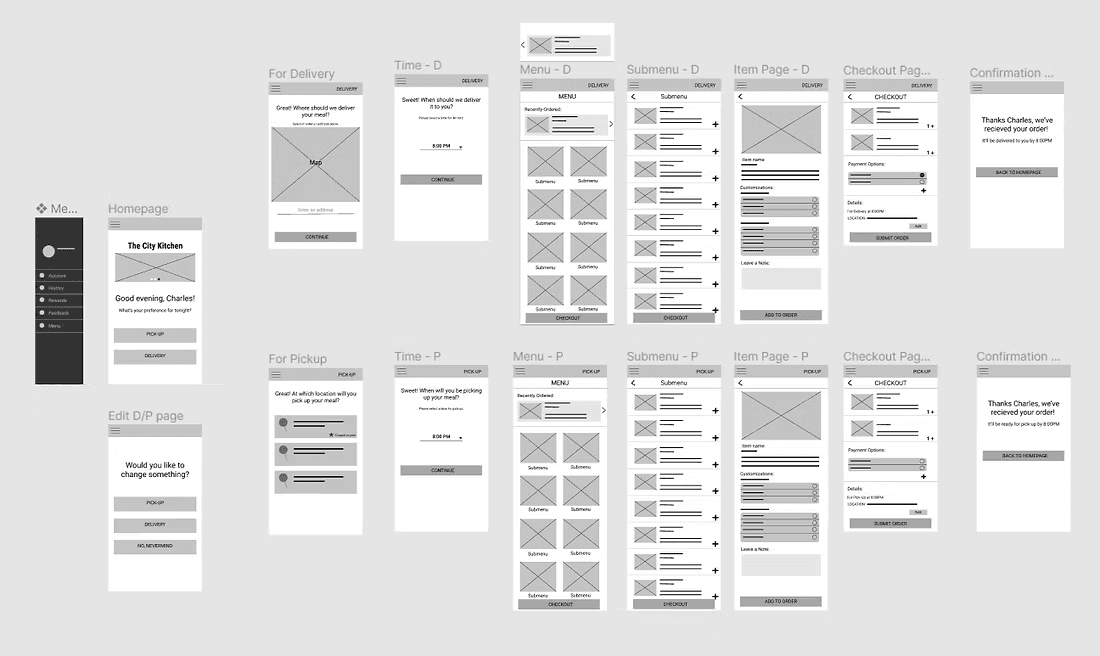
The user flow will begin with the user selecting the order for pickup or delivery before navigating through the menu and selecting their desired items, customizing when needed. They can click the checkout button at any point and pay with a saved card.
Usability Study
To test the initial prototype, I conducted a moderated usability study in which I had five participants complete five tasks within the prototyped app, narrating their thoughts and answering some follow-up questions as they completed such tasks.
RESEARCH QUESTIONS
How much trouble do users have navigating the app’s features?
Are there more features that would be especially helpful to users of the app?
How long does it take a user to place an order?
What can we learn from the user flow in placing an order?
What information seems to be important to the user in the ordering process?
KEY PERFORMANCE INDICATORS
Time on Task
Conversion Rate
System Usability Scale (SUS)
TASKS
Choose to order food for pickup at the closest location, and select a time for pickup.
Add a menu item to your order.
Add a menu item to your order that you have recently ordered.
Choose to change your order settings to delivery from the checkout menu.
Exit the checkout menu and place your order, completing the checkout process.
Findings
PRIORITY 1
Finding menu items takes too long
Changing order settings is annoying
The checkout page is difficult to read
PRIORITY 2
Some users want to see restaurant locations and wait times before choosing pickup/delivery
Refining the Design
Early Mockups
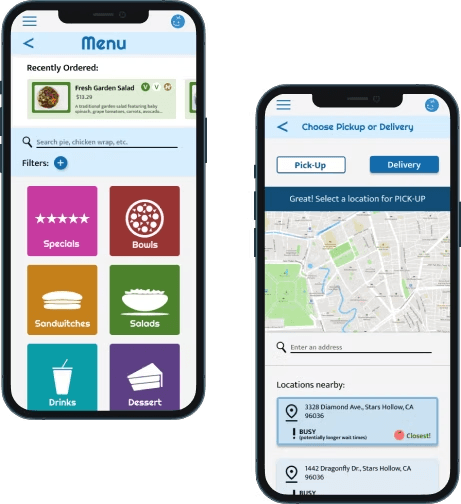
Although initial designs featured an organized menu, I added search and filter functionality for ease of finding menu items after the initial usability study.
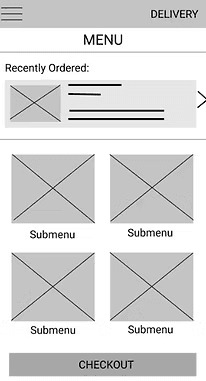
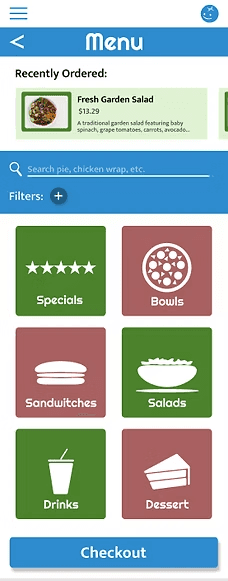
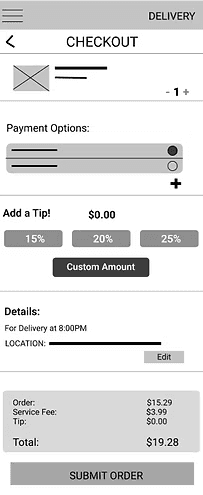
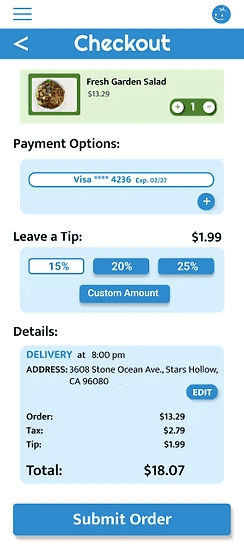
Users notably thought the low-fidelity checkout page looked messy or too complicated, so in my mockups, I focused on a simplistic design with an attention-capturing color scheme.
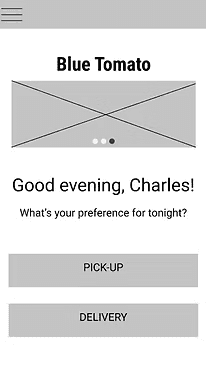
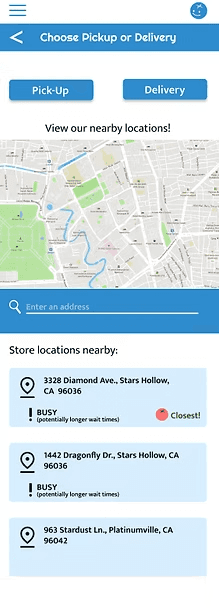
From the initial usability study, some users wanted to see locations first, so I came up with a design showcasing locations nearby before users select pickup or delivery. Some users also were worried about wait times, so I included an indicator for busy locations.
Post-Second Usability Study Mockups
I conducted a second usability study similar to the first, except with a high-fidelity prototype. The study focused more on the design elements and the user's ability to navigate using the different on-screen icons. Based on those findings, I made a few design changes:
I conducted a second usability study similar to the first, except focused more on the design elements and the user's ability to navigate using the different on-screen icons. Based on those findings, I made a few design changes:
The second usability study revealed a further need for finding menu items easily; some users have diet restrictions and need to easily see item ingredients. Thus, I added circular figures indicating item contents, including nut-free and vegan items.
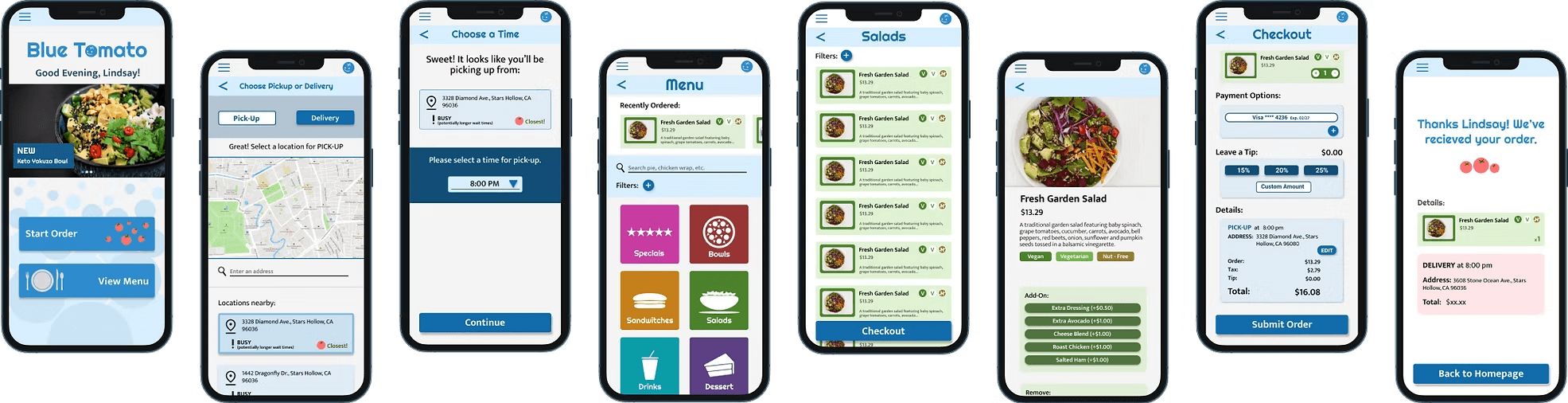
Final Mockups
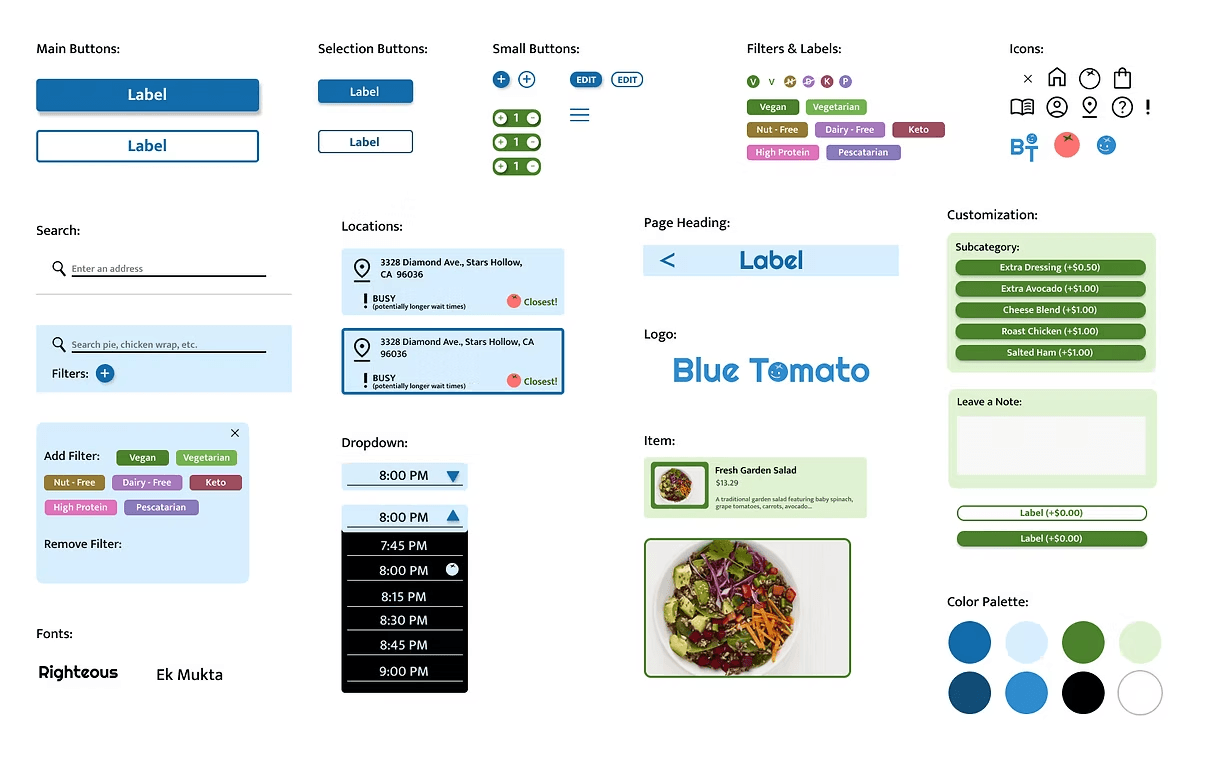
Style Guide
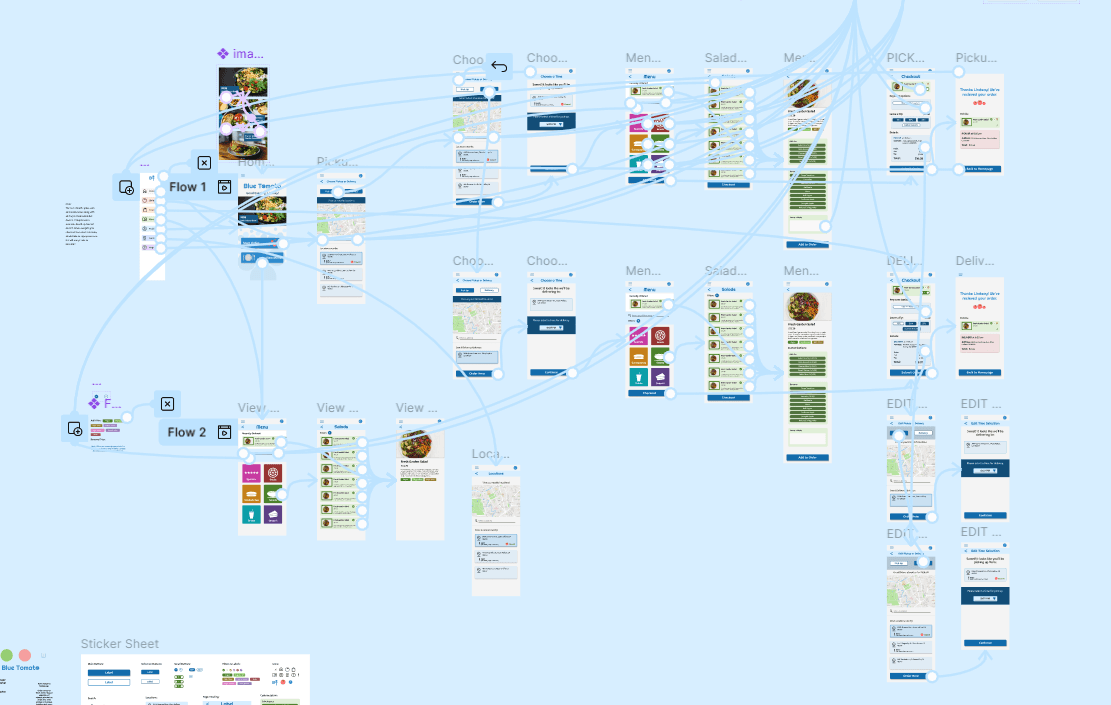
High-Fidelity Prototype
Like the earlier low-fidelity prototype, the main user flow will begin at the homepage where the user can choose to view the menu or begin their order. When starting their order, they will choose between delivery and pickup before looking through the menu and adding items to their order.
Accessibility Considerations
A high-contrast color palette and large text fonts were chosen so users with visual impairments such as color blindness or presbyopia can easily read the screens.

The speed and duration of motion was taken into account; animations are between 150 and 500 msec as the W3C recommends to not be too harsh or too slow.

Alternative methods to accomplish tasks are found in the design. For instance, one can scroll through menu items but can also tap and type in an item with search functionality.

Going Forward
Takeaways
As a working college student who orders food out often, this project focused on challenges I encounter often in my own life. Although ordering apps such as Blue Tomato's are commonplace, I focused on how the users I interviewed felt about the app at different stages and tried to come up with simple yet creative solutions for their pain points.
This was my first time taking on an entire research and design project on my own, and I think it was an excellent learning opportunity. I gained experience troubleshooting what specifically users struggled with and learned how to think like a designer, generating practical solutions to make completing in-app tasks easier. This project also allowed me to better understand how different steps in the UX process build on one another, giving me a more complete view of the entire design process.
Next Steps
To continue this project, I would go through one more research and design cycle, iterating on the profile and settings pages, which are not present in the current design. One more iterative cycle would allow me to design a more complete version of the app and smooth out some final design "wrinkles."
I would then pass on my designs to a software engineer and work with them to produce a functional and complete version of the app available for download. This step is important in advancing the product's development.
Finally, I would conduct more user research to determine the pain points users experience with a full version of the app before iterating on the app's design once more.
lindsay
HArrison
(C) 2024 by Lindsay Harrison. Created with Figma & Framer.