Charma
Brew up outfits reflecting the real you, effortlessly.
The concept is to make it easier for busy individuals to decide what clothing items to purchase and what to wear when getting ready.
TYPE: Class-Guided Case Study
Duration: 10 Weeks
Platform: Web & Mobile
Role: Sole UX Designer
PRODUCT: E-commerce Item Comparison

Challenge
Design a product search and comparison system to help young adults decide what to purchase.

Stakeholders
UX Design Professor
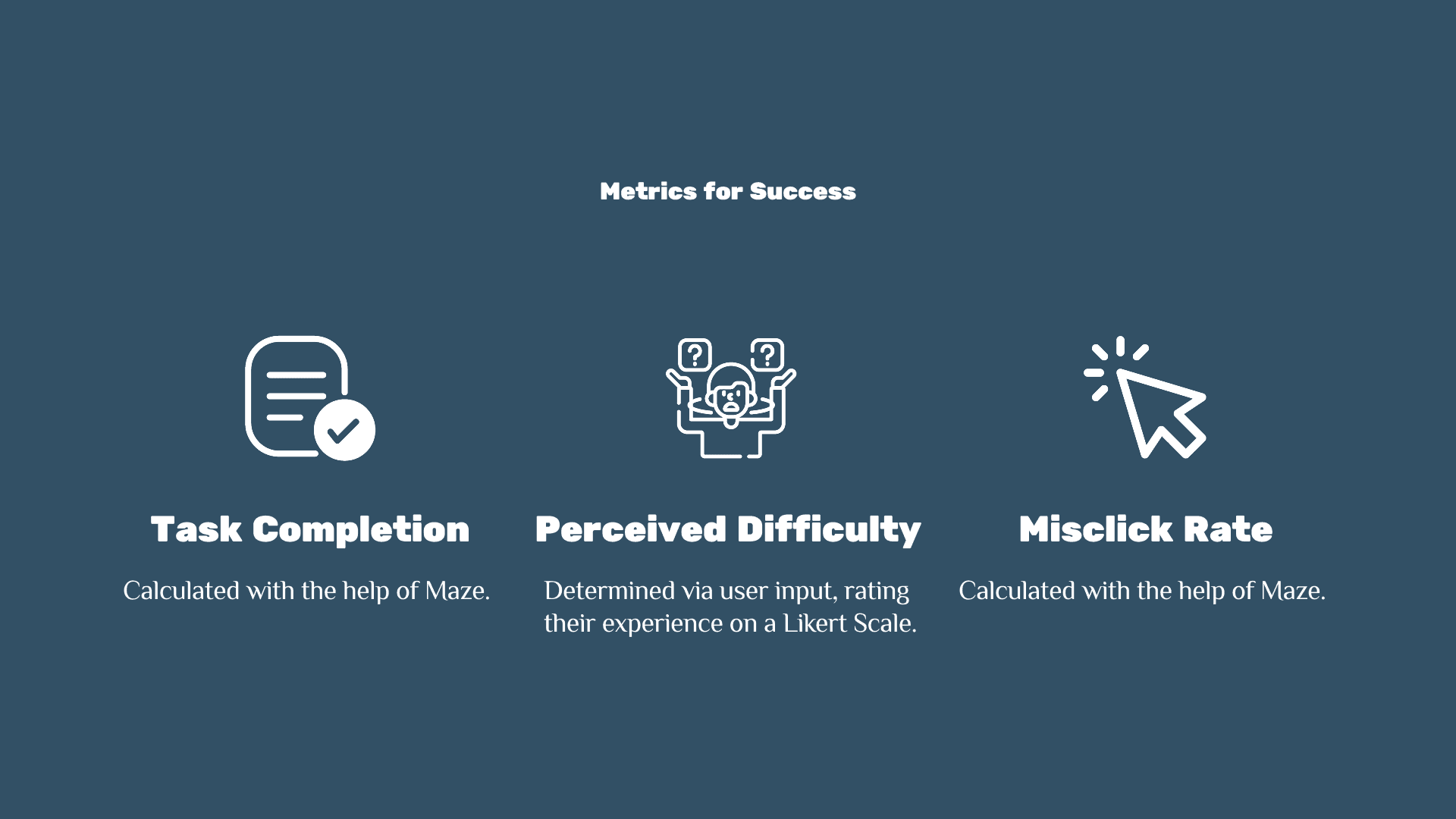
Metrics for Success
Qualitative feedback from Design Professor & peers.
Initial Solution
Allow users multiple ways to search for products they want, and present them with a side-by-side comparison of products.
PROBLEM
Deciding what clothing items to purchase and what to wear can be draining and time-consuming, especially for working young adults with limited time and money.
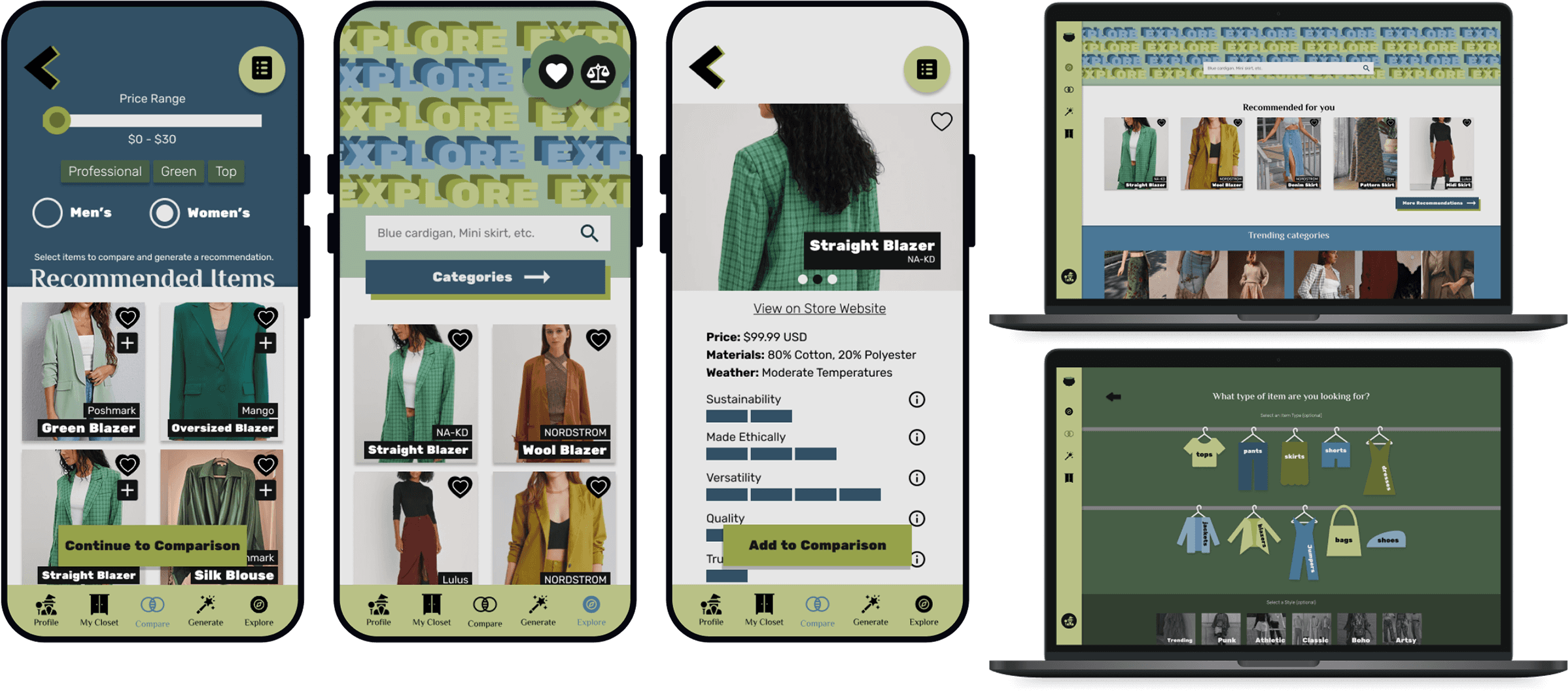
Final Prototype
PROCESS
Discover
case studies
interview
survey
data analysis
Goal: Understand if users struggle deciding what to purchase and why.
Define
persona
user journey map
mood board
information architecture
user flow chart
Goal: Outline user needs and the design solution.
Develop
style guide
lo-fi prototype
hi-fi prototype
user testing
updates
Goal: Build & test the design solution.
Deliver
figma prototype
prototype user video
next steps
takeaways
Goal: Present the design solution.
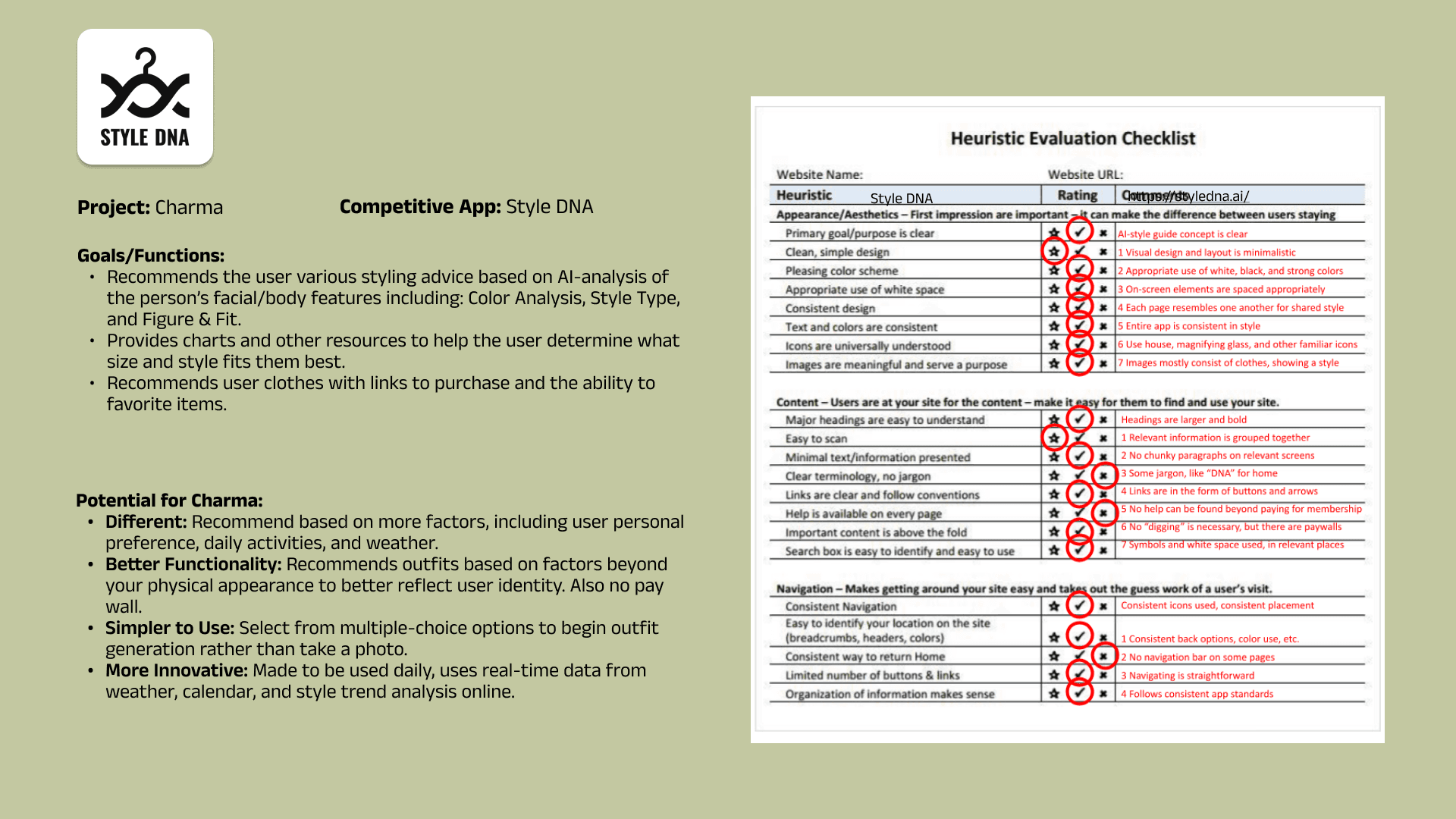
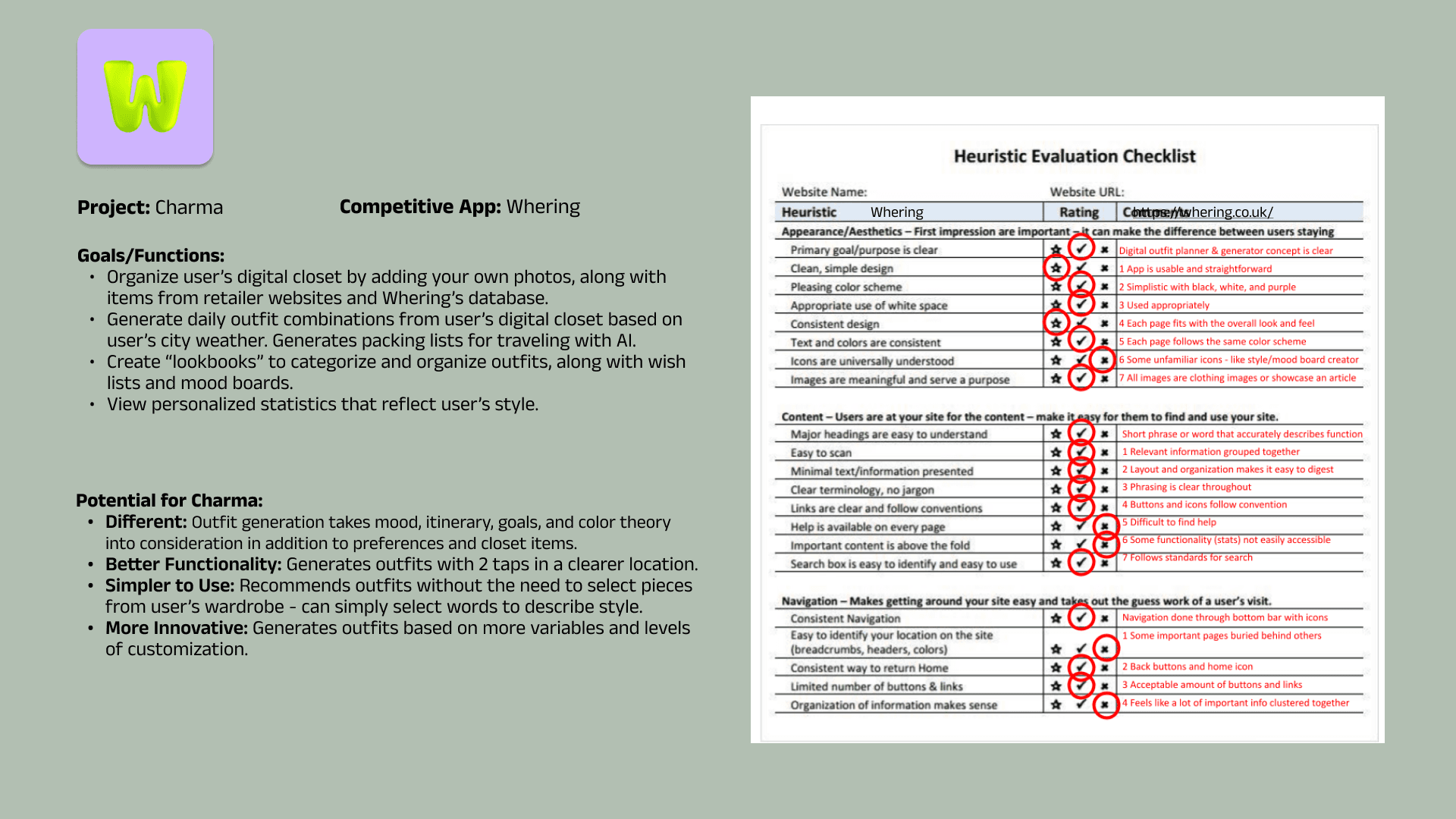
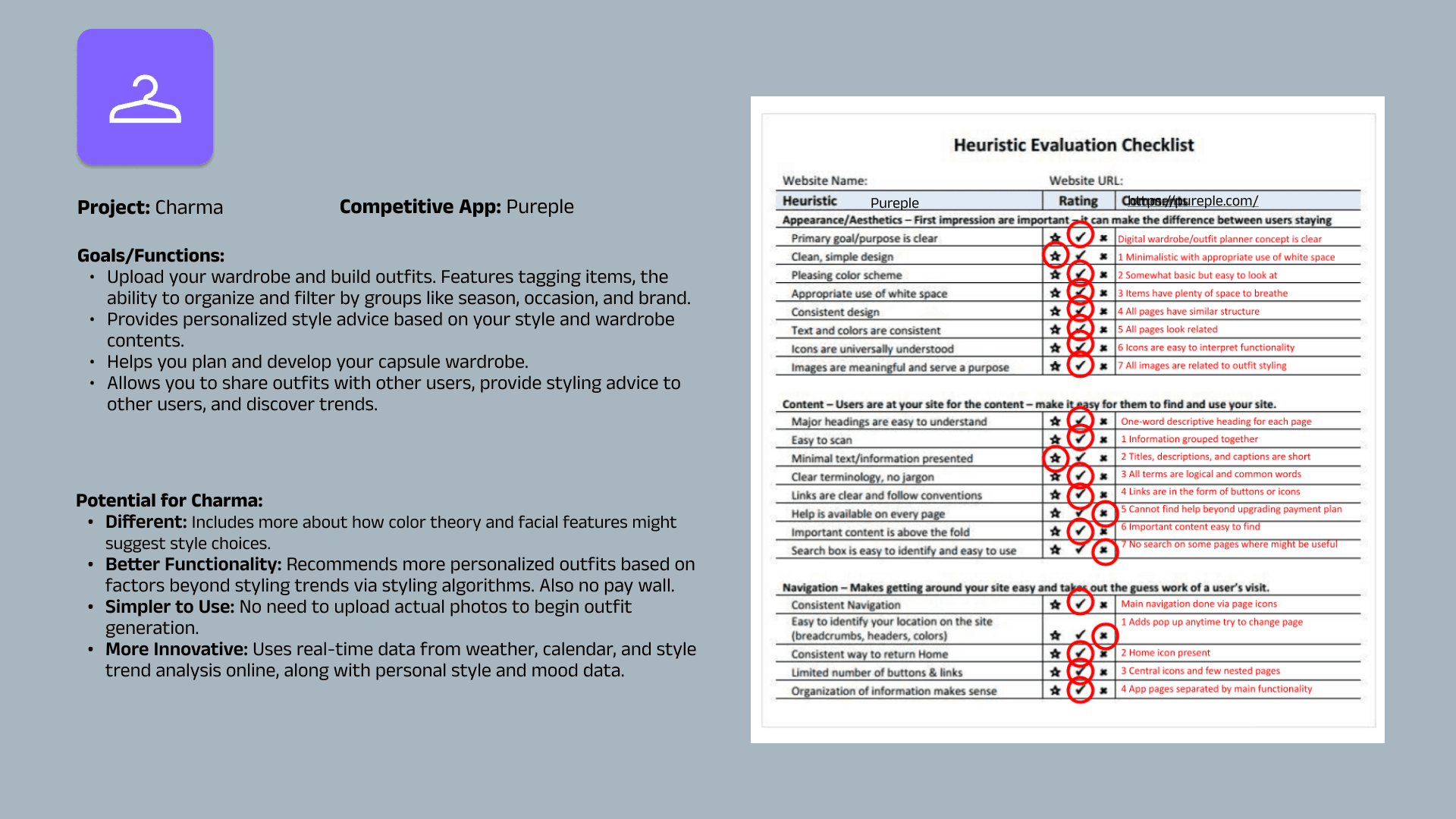
Case Studies
Objective: Learn more about currently available fashion-helper apps.
Interviews
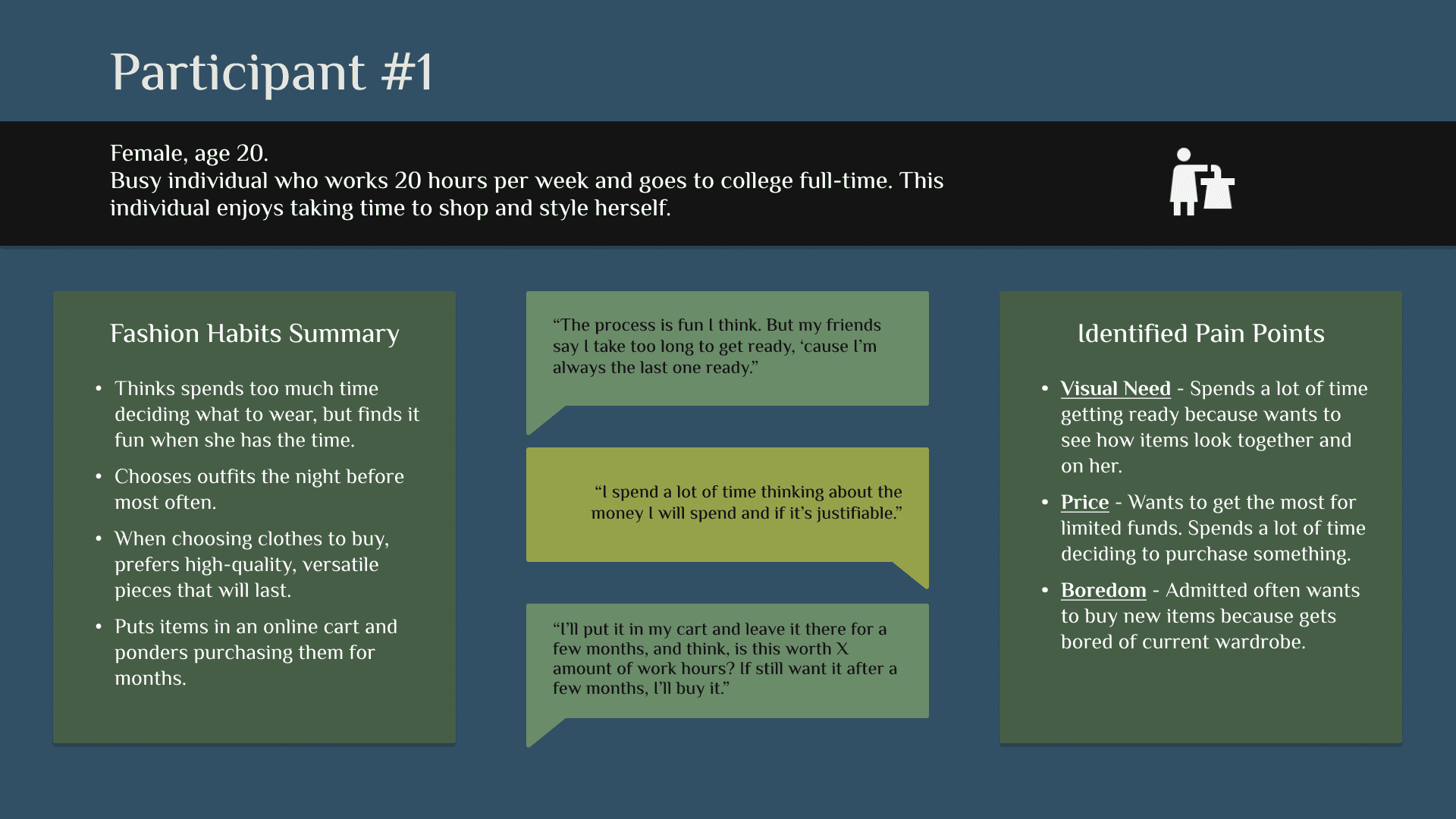
GOAL: Learn more about what young busy individuals struggle with when getting ready in the morning & making purchasing decisions in a detailed manner.
Number OF Interviewees: 2
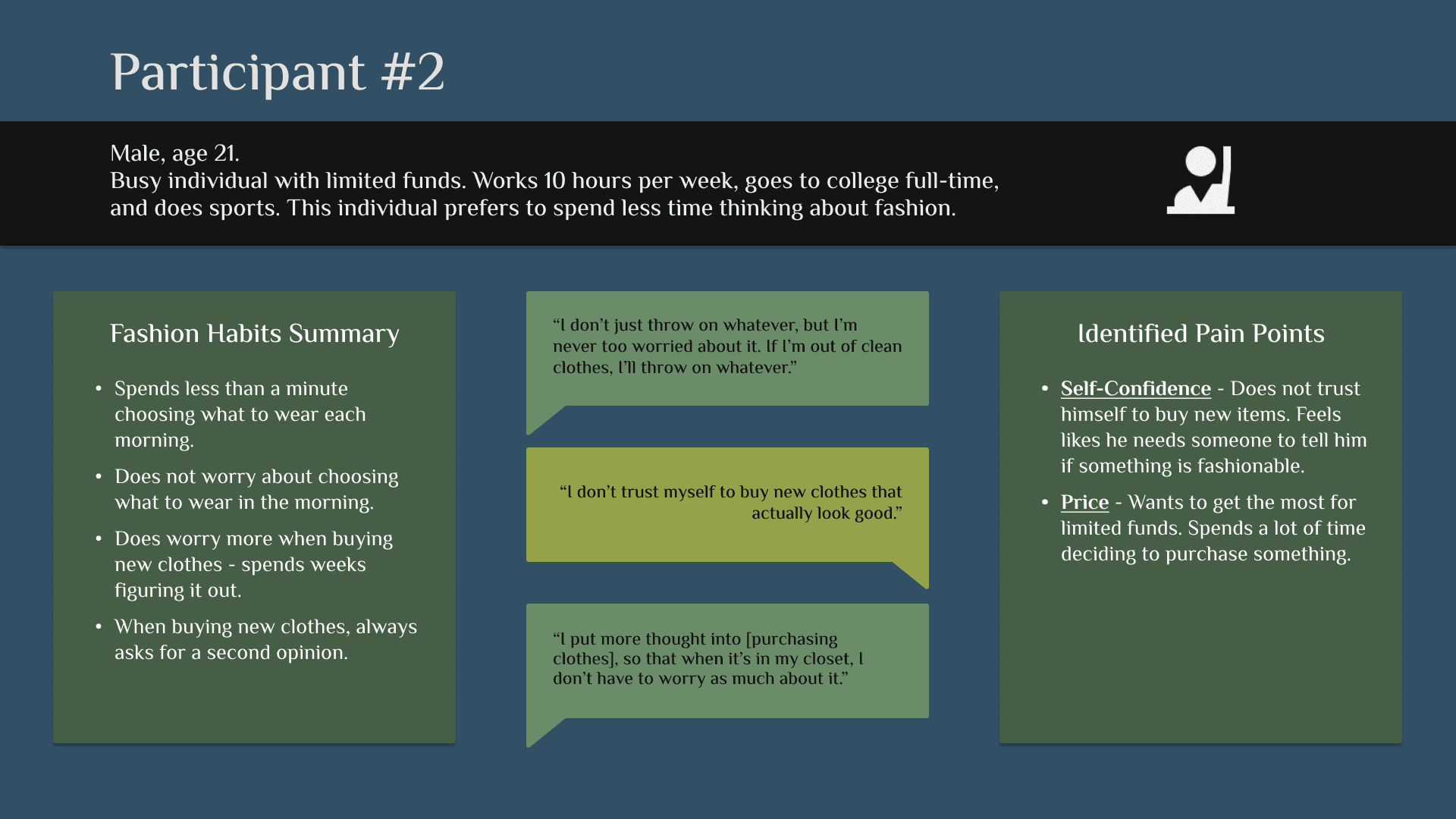
Interviewed two young adults attending college and with part-time jobs. One enjoys shopping; the other does not.
Key Questions Asked:
How do you decide what clothes you want to buy to add to your wardrobe?
How much time does it take you to determine what to buy?
Do you feel you struggle choosing what to buy? Why or why not?
What are the biggest factors that make it a struggle?
How often do you buy new things to add to your wardrobe?
Takeaways:
Survey
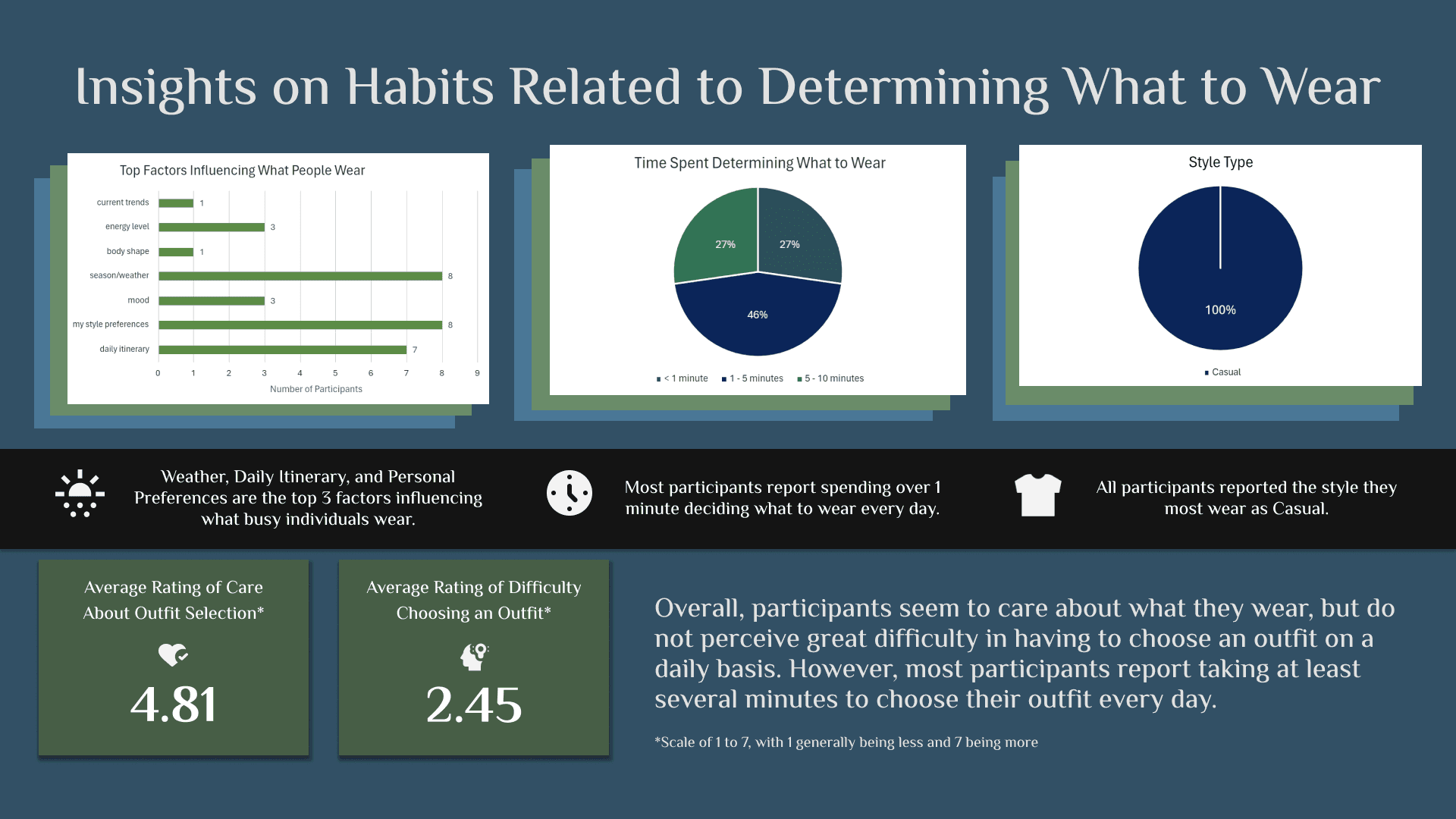
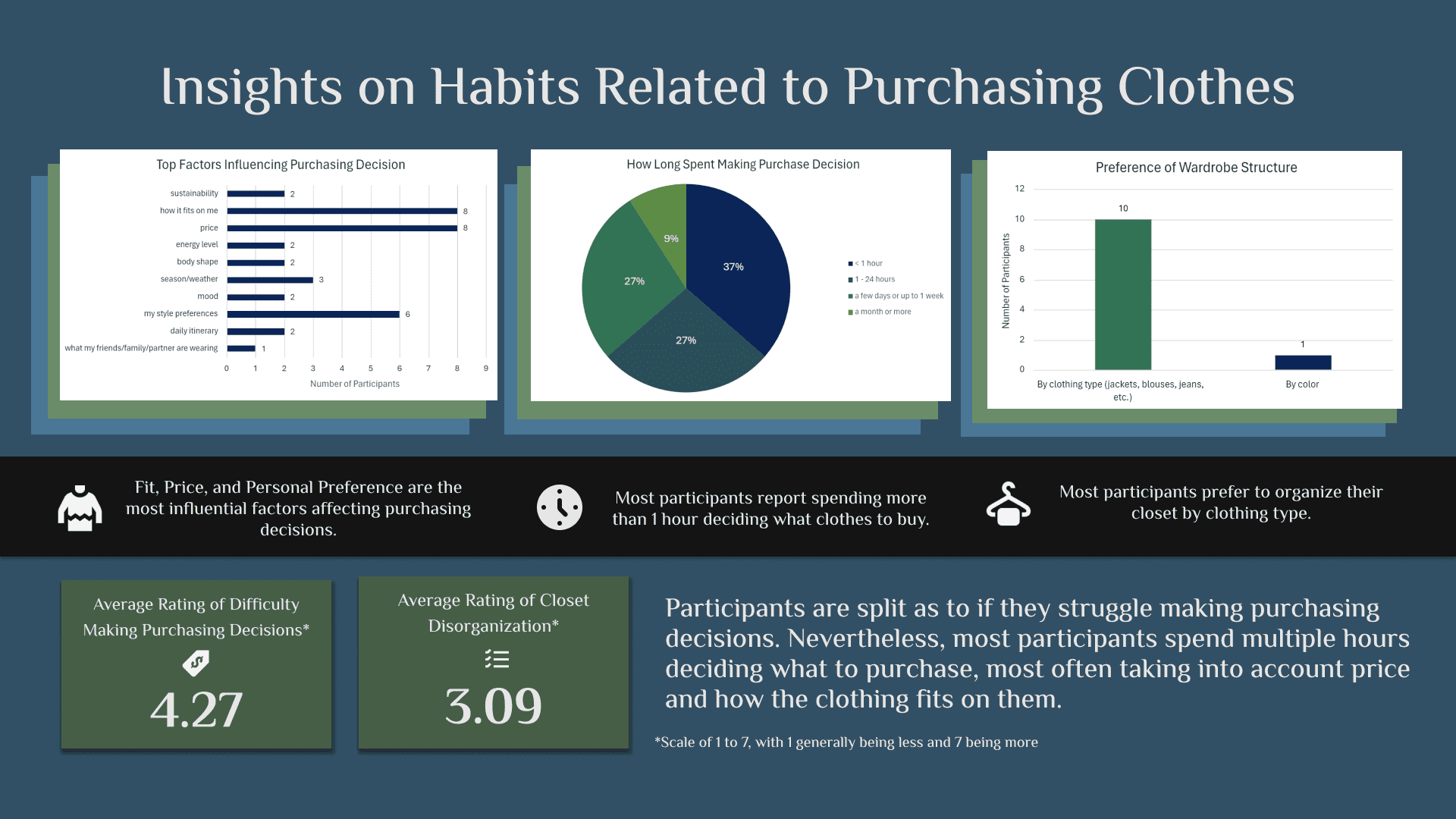
GOAL: Learn more about what young busy individuals struggle with when getting ready in the morning & making purchasing decisions on a broad scale.
Number OF Interviewees: 11
Created a 14-question survey and sent it on social platforms to members of the target user group.
Key Questions Asked:
Which factors impact what you will decide to buy / add to your wardrobe?
Estimate how long you spend determining what clothing items to buy.
How often do you shop / add new items to your wardrobe?
Takeaways:
Key Research Takeaway
Busy young adults don't struggle with what to wear each morning. However, they take a lot of time deciding what to purchase for their wardrobe.
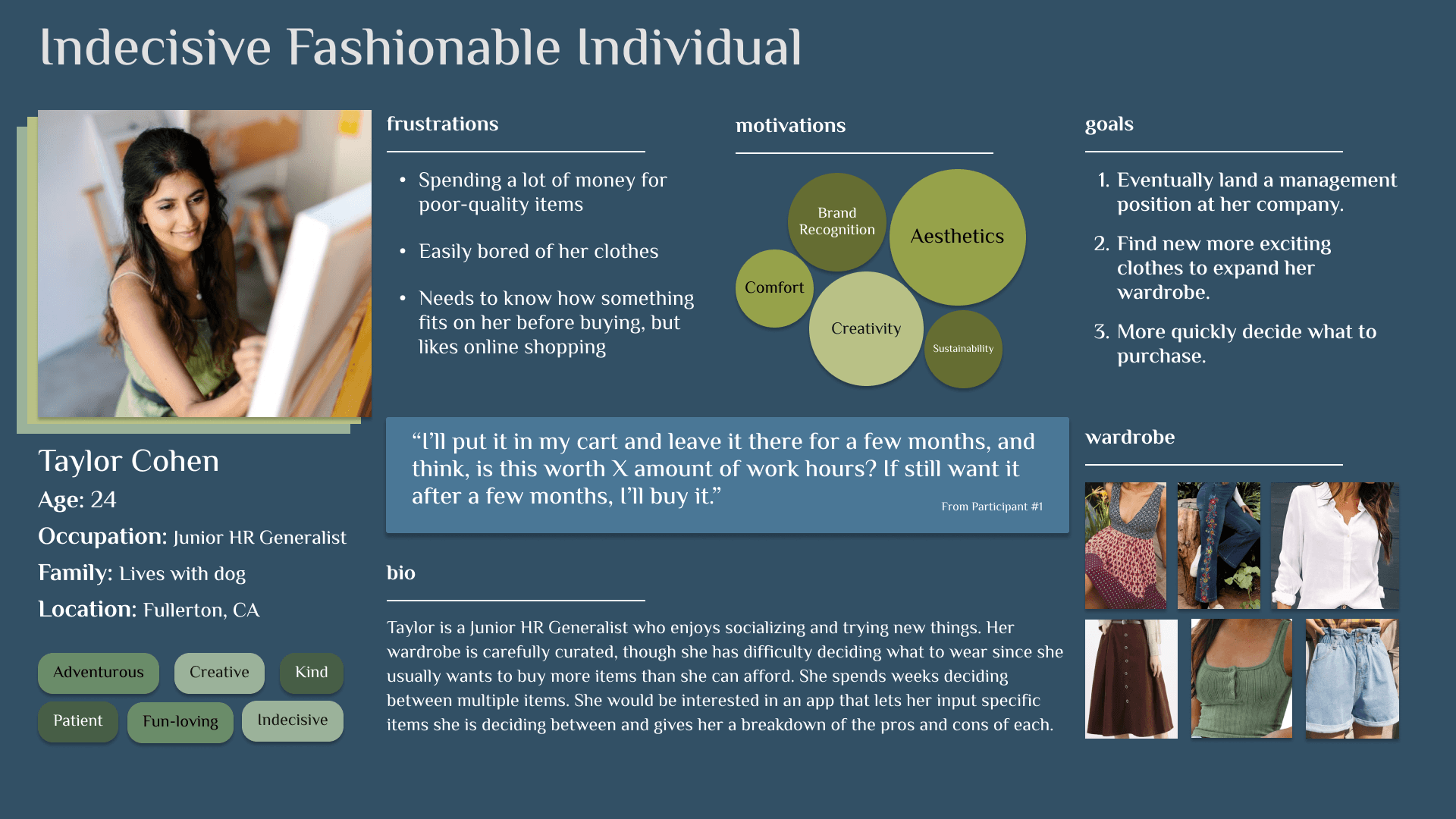
Persona
How might we help users more quickly make purchasing decisions?
Based on patterns from my user insights, I developed a persona that reflects the target user group.
User Journey
Based on interview insights and the persona, a user journey map was created to help define user pain points.
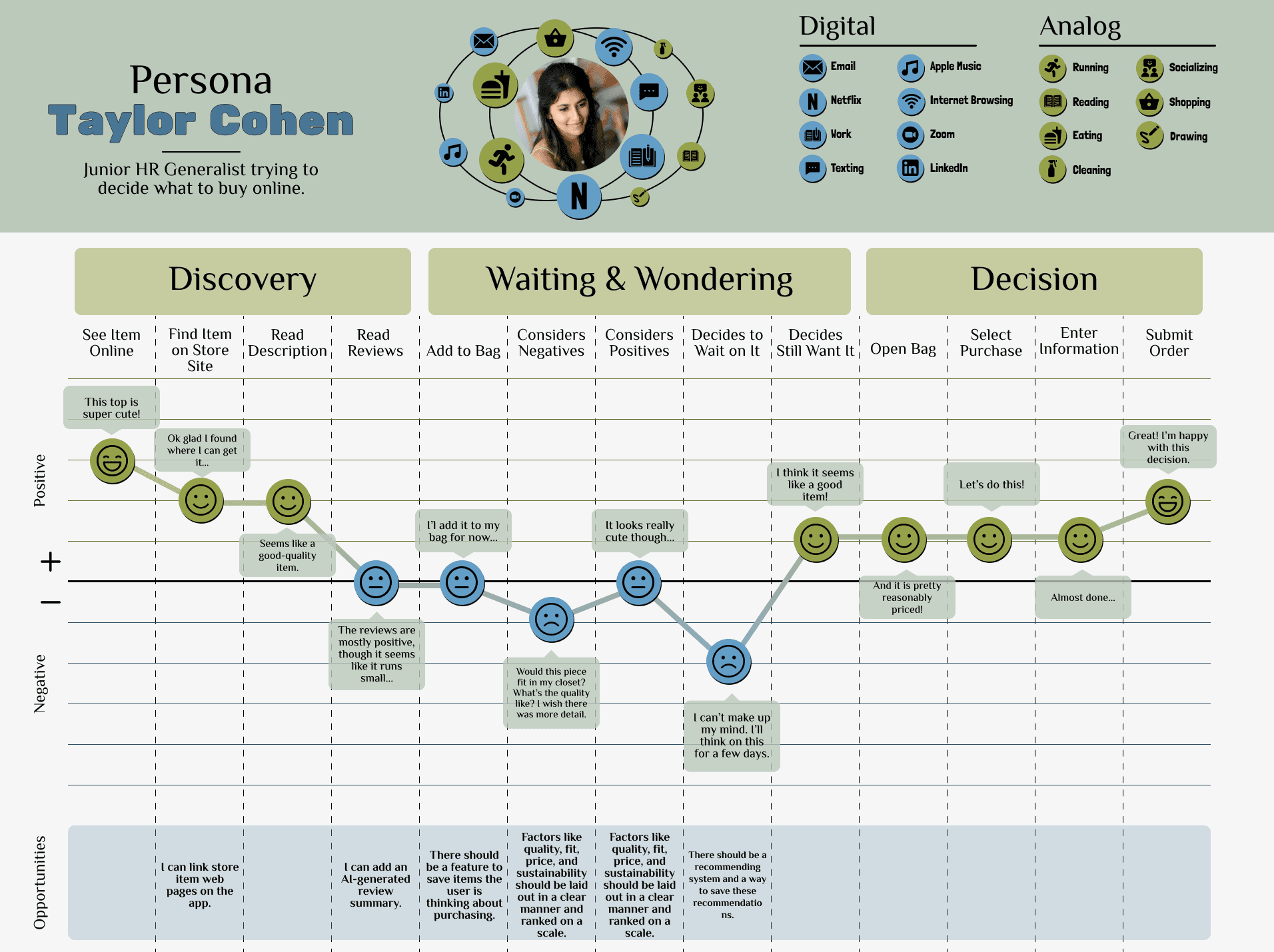
Pain Points
Second Opinion
Many users struggle to make decisions without an outside opinion.
Holistic View
Users have trouble determining the overall value of a product based on online information.
Personal Fit
Fit is important but difficult to determine when online shopping.
Mood Board
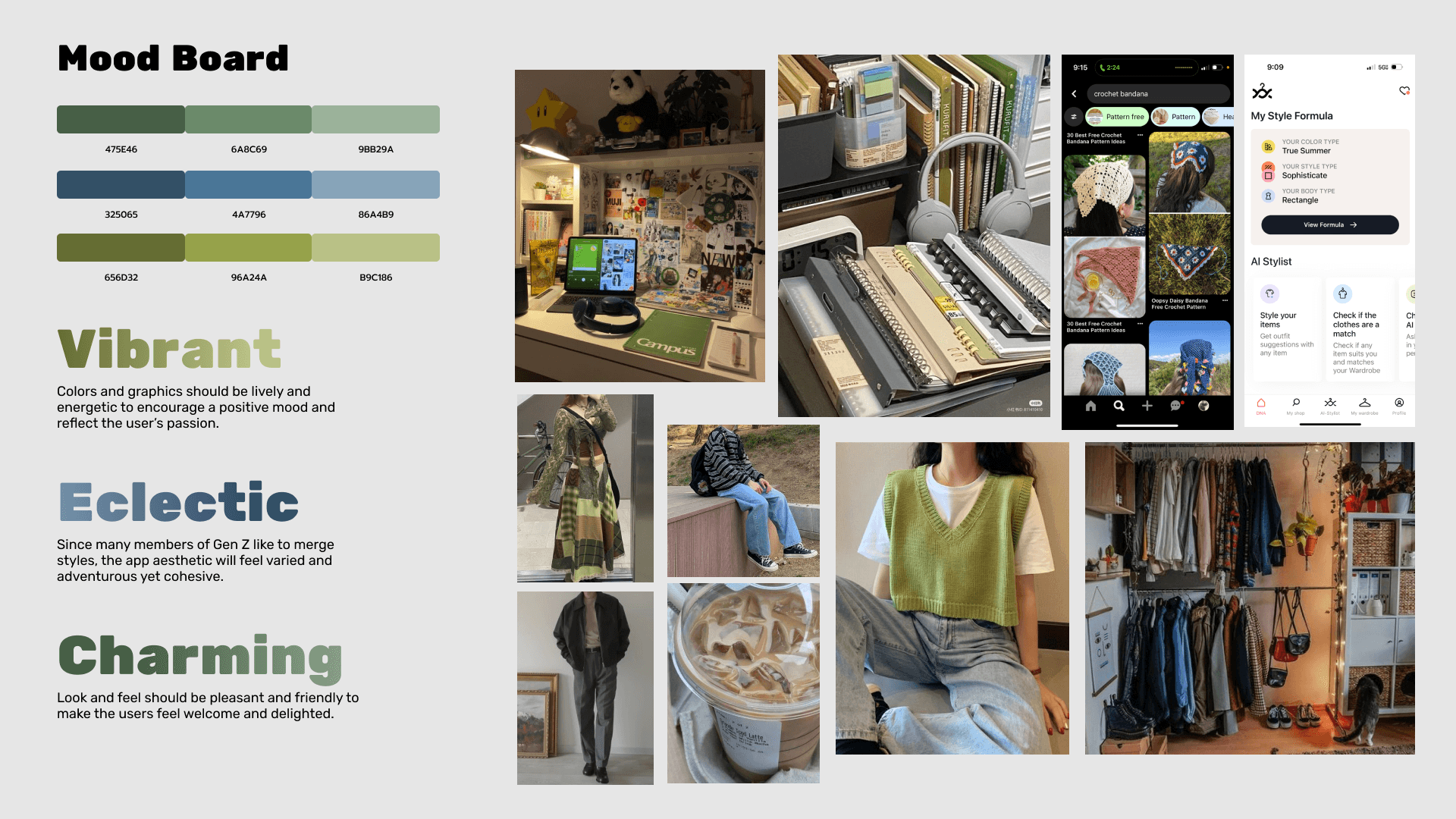
From the user persona, I developed a mood board to understand what look and feel would appeal to the target user group.
Design Hypothesis
An app that allows users to compare quality, price, fit, and more between two or more clothing items they are deciding between purchasing.
Features
Recommend Items
Because users sometimes struggle to make decisions, even given adequate information, the app will allow users to run product comparisons, suggesting the user one of the products.
Visual Feature Comparison
The app will generate a rating for sustainability, fit, quality, versatility, and if it’s made ethically to every clothing item. Users can ask the app to compare items and have it recommend one.
Assess User Fit
During onboarding, a user can input a personal photo and answer a few questions about their closet. App algorithms will use this info to determine how clothing items would fit on the user / with their style.
Design System
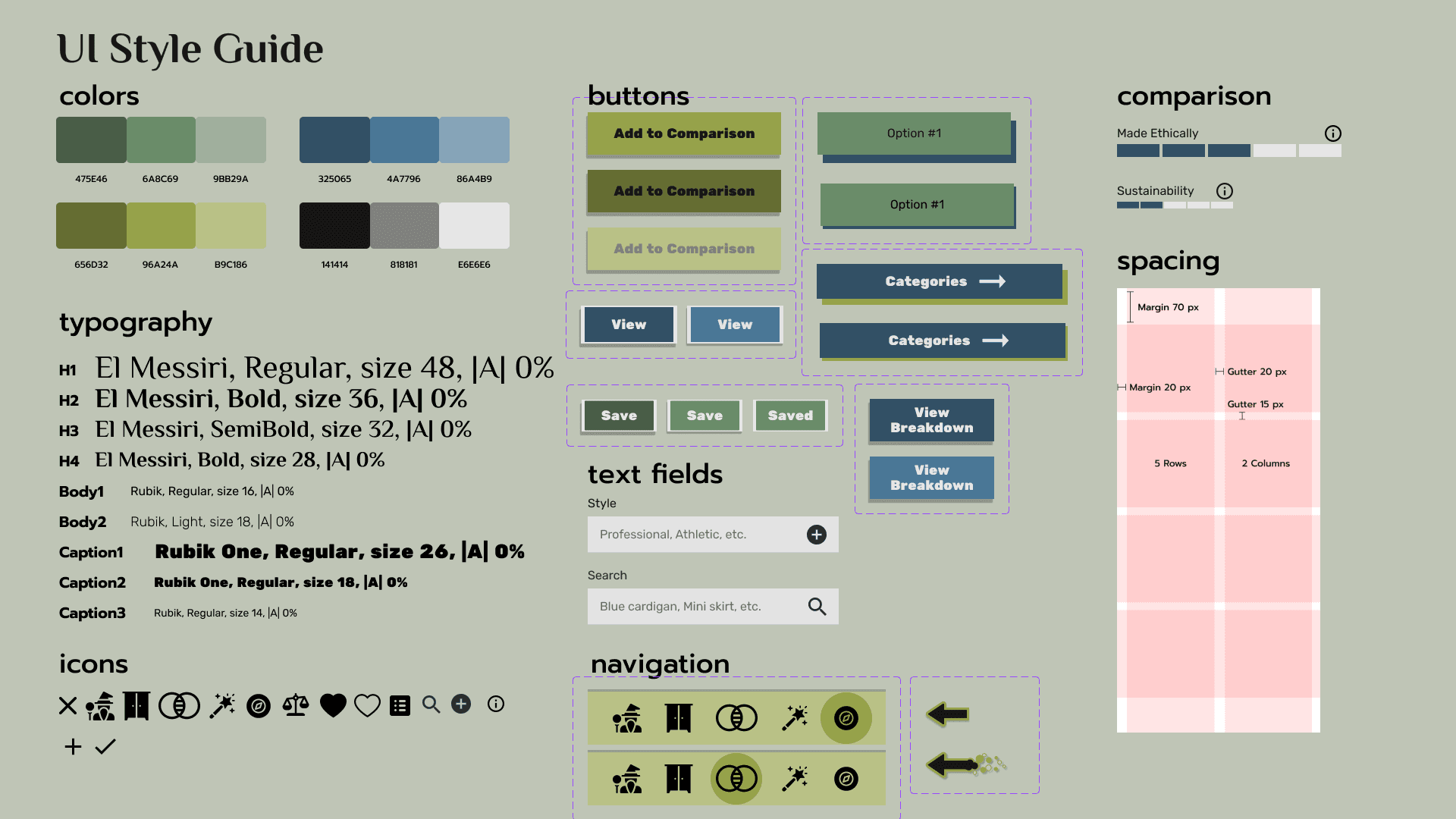
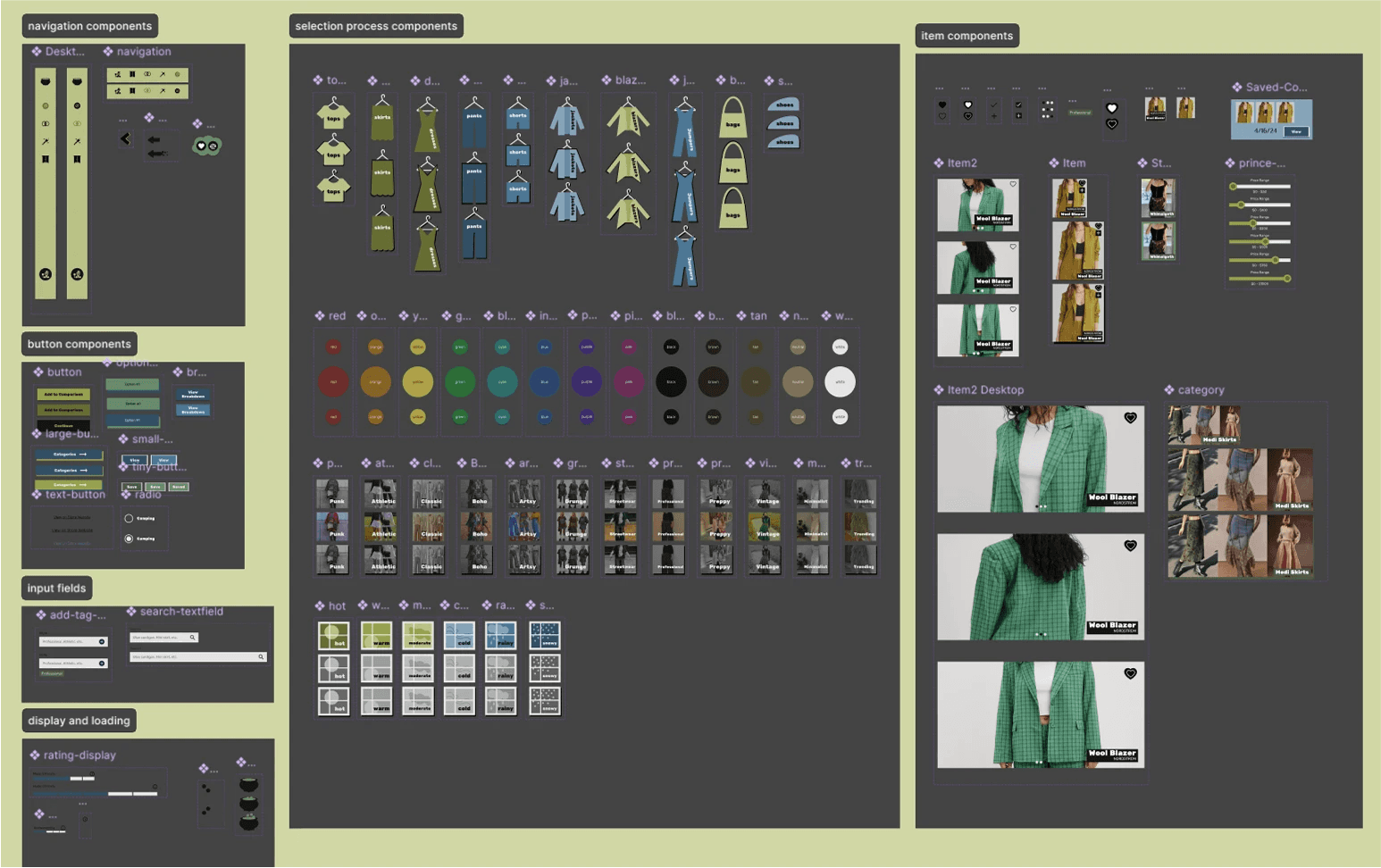
Based on the mood board, a style guide and component library were generated during prototype development.
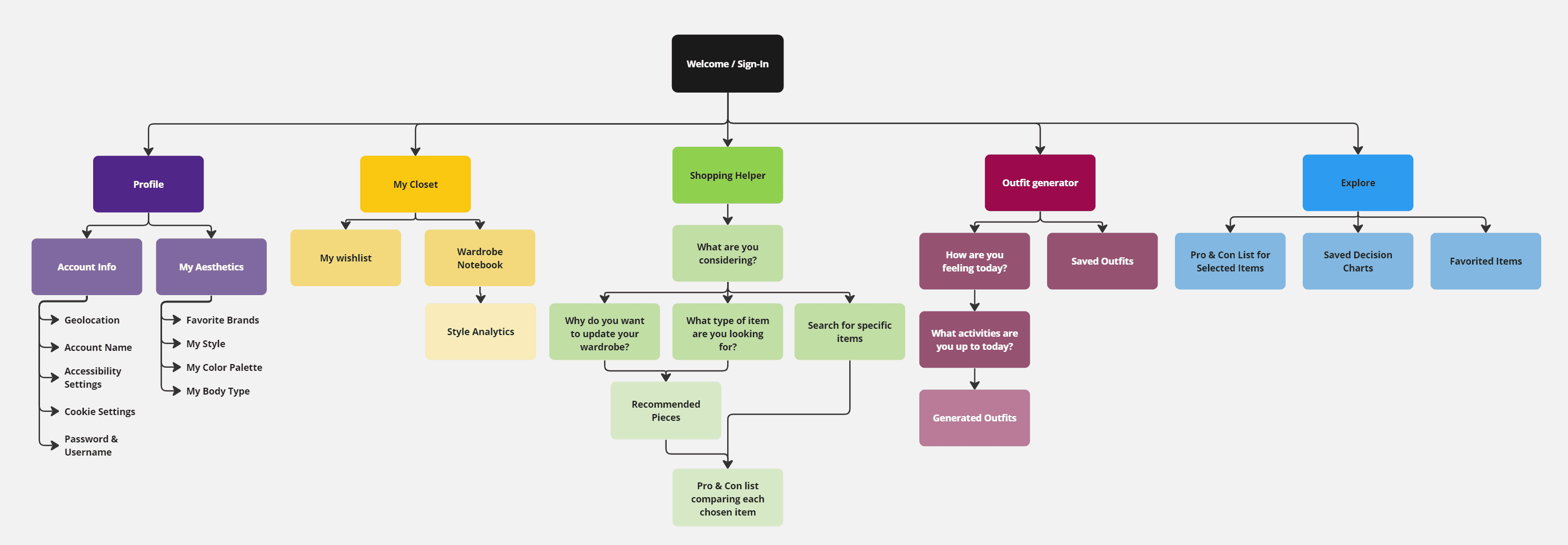
Site Map
From there, to begin designing the interface and outlining page navigation, a site map was created.
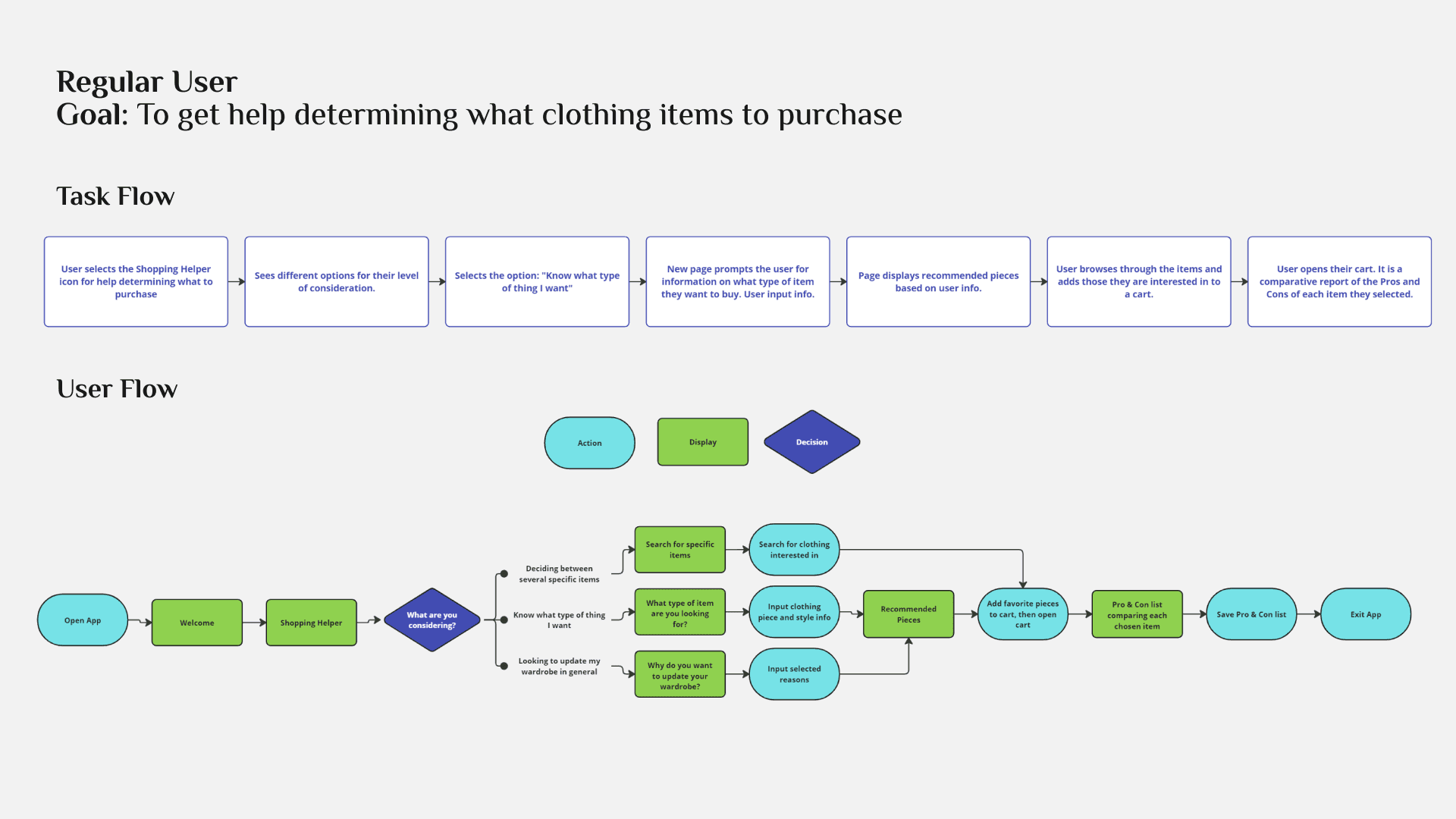
User Flow
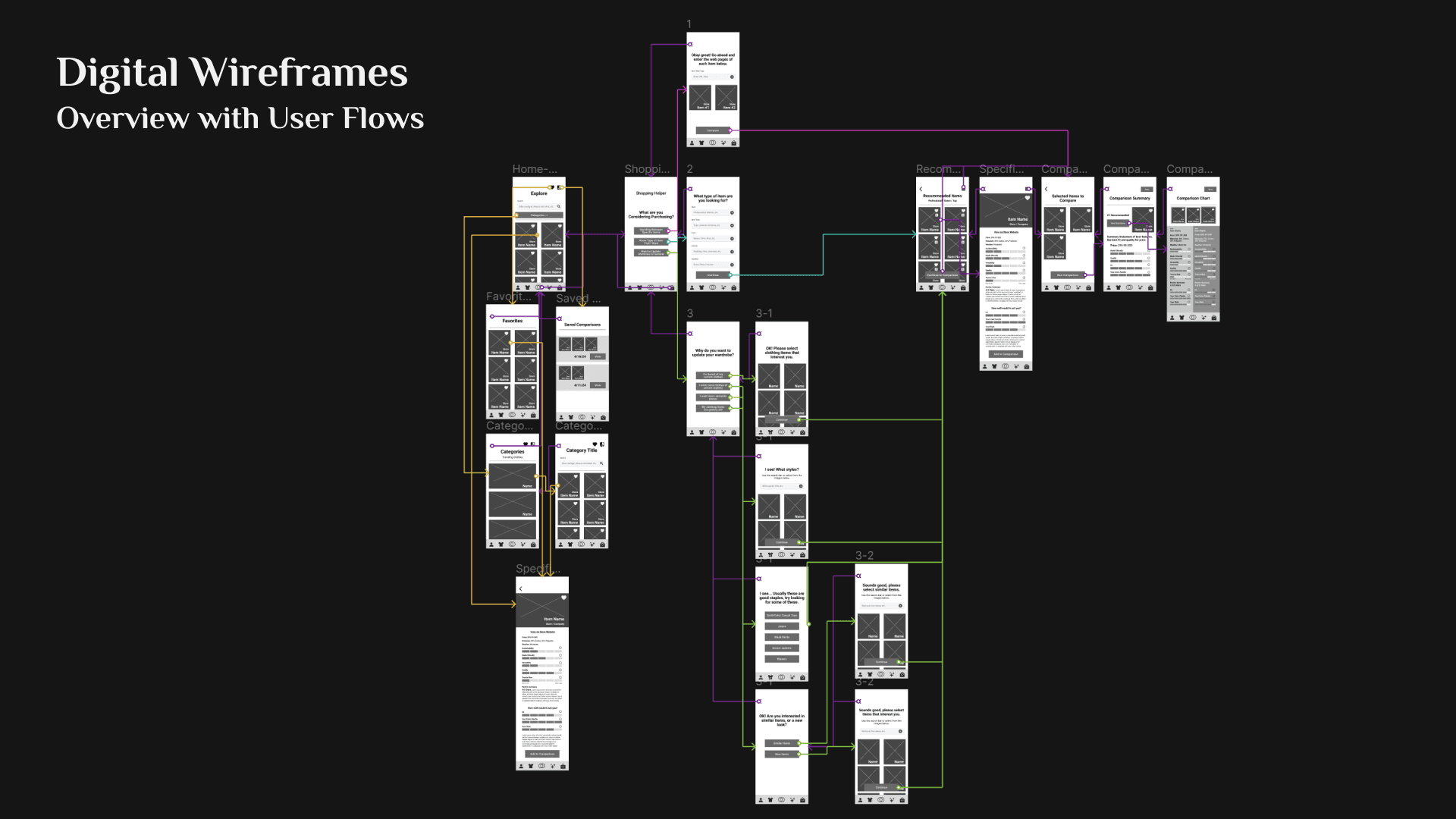
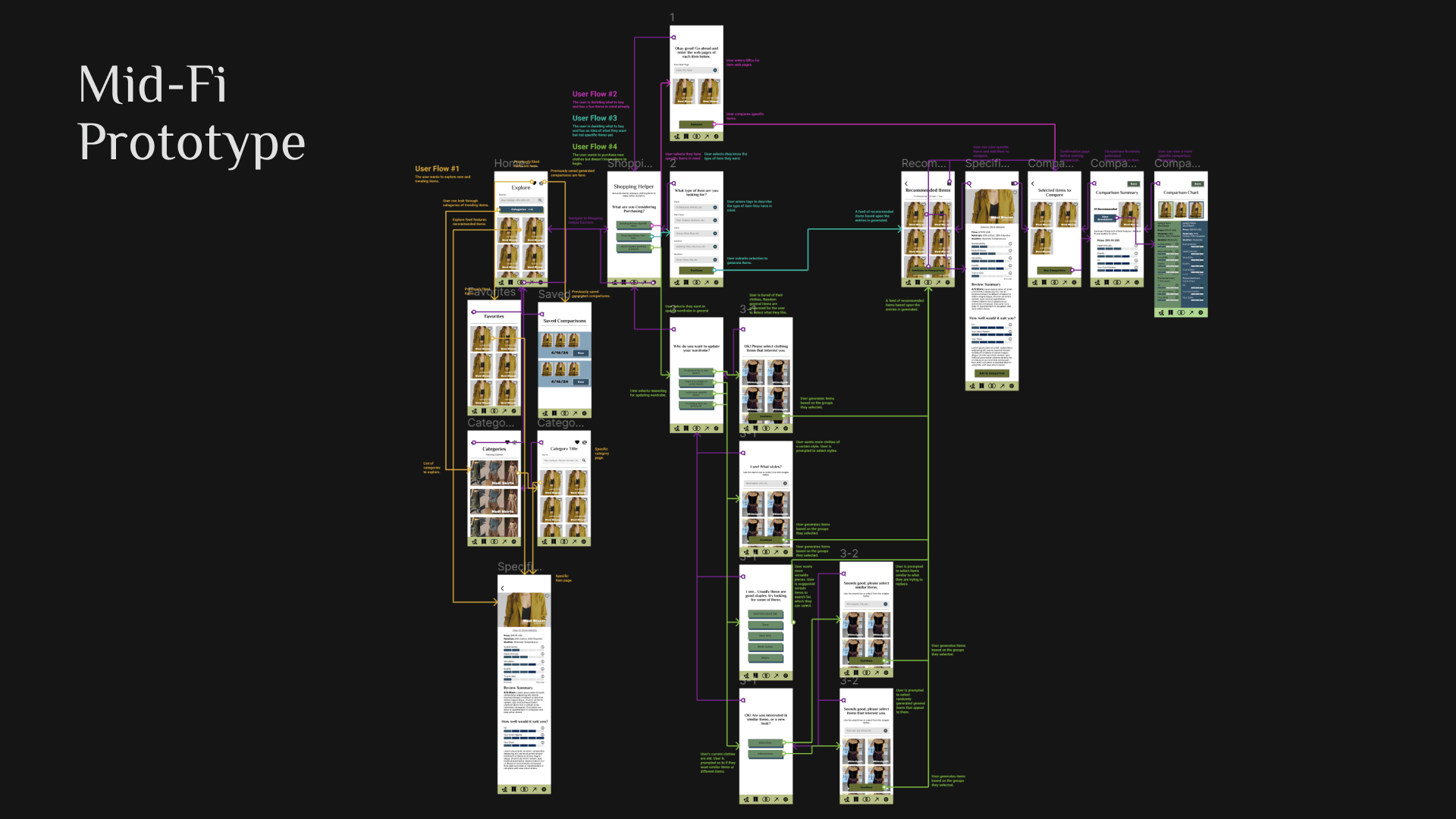
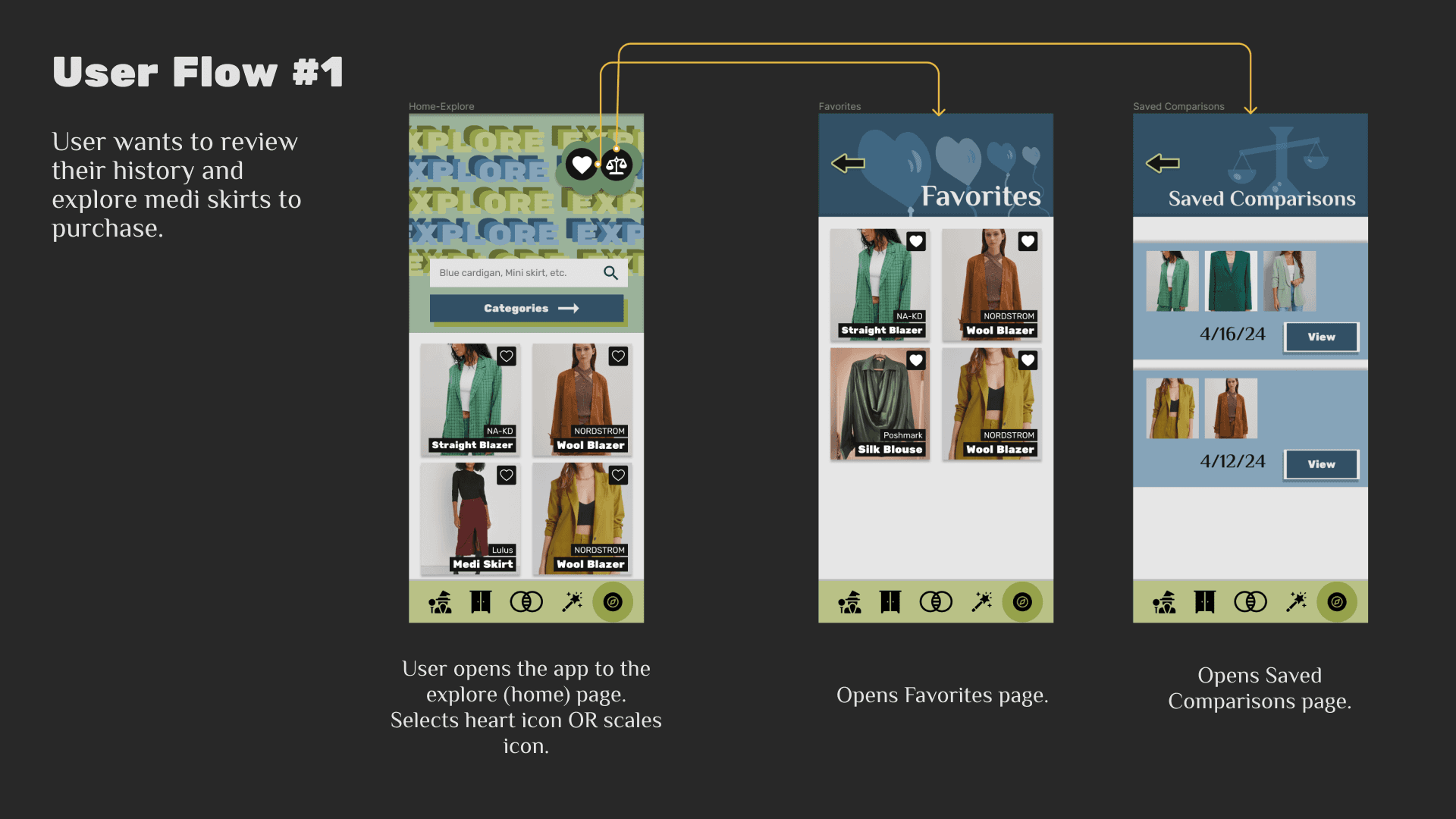
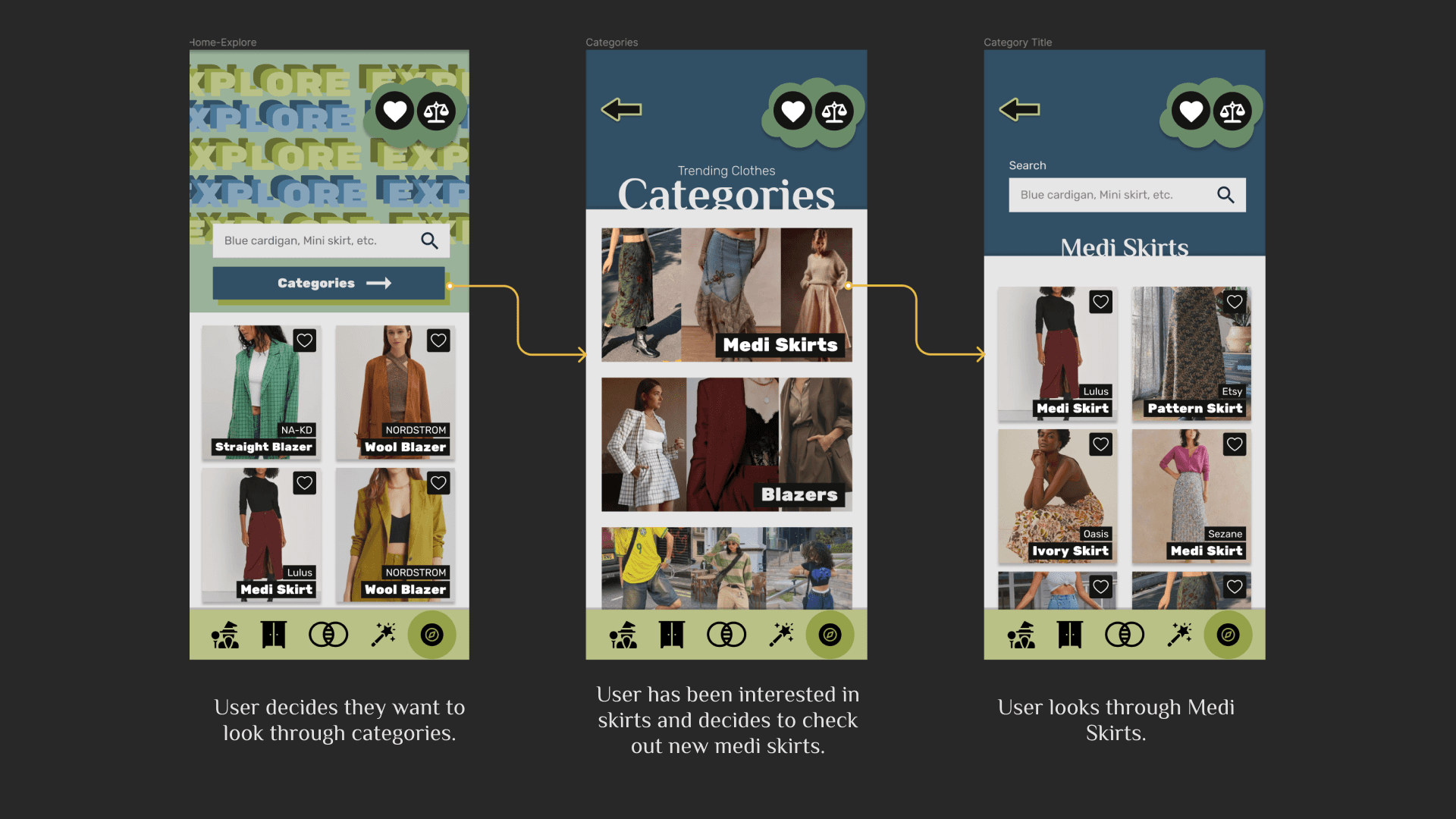
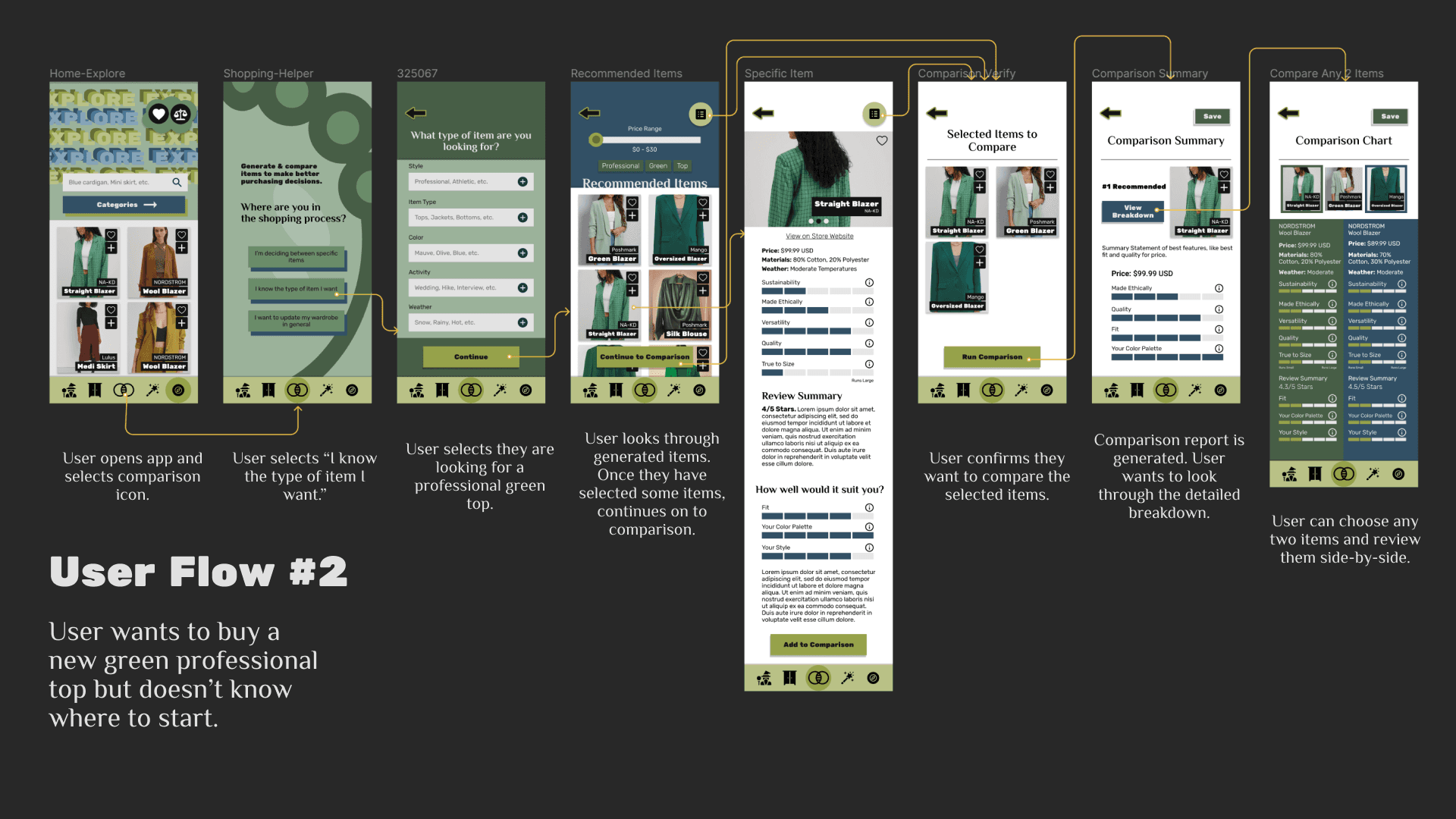
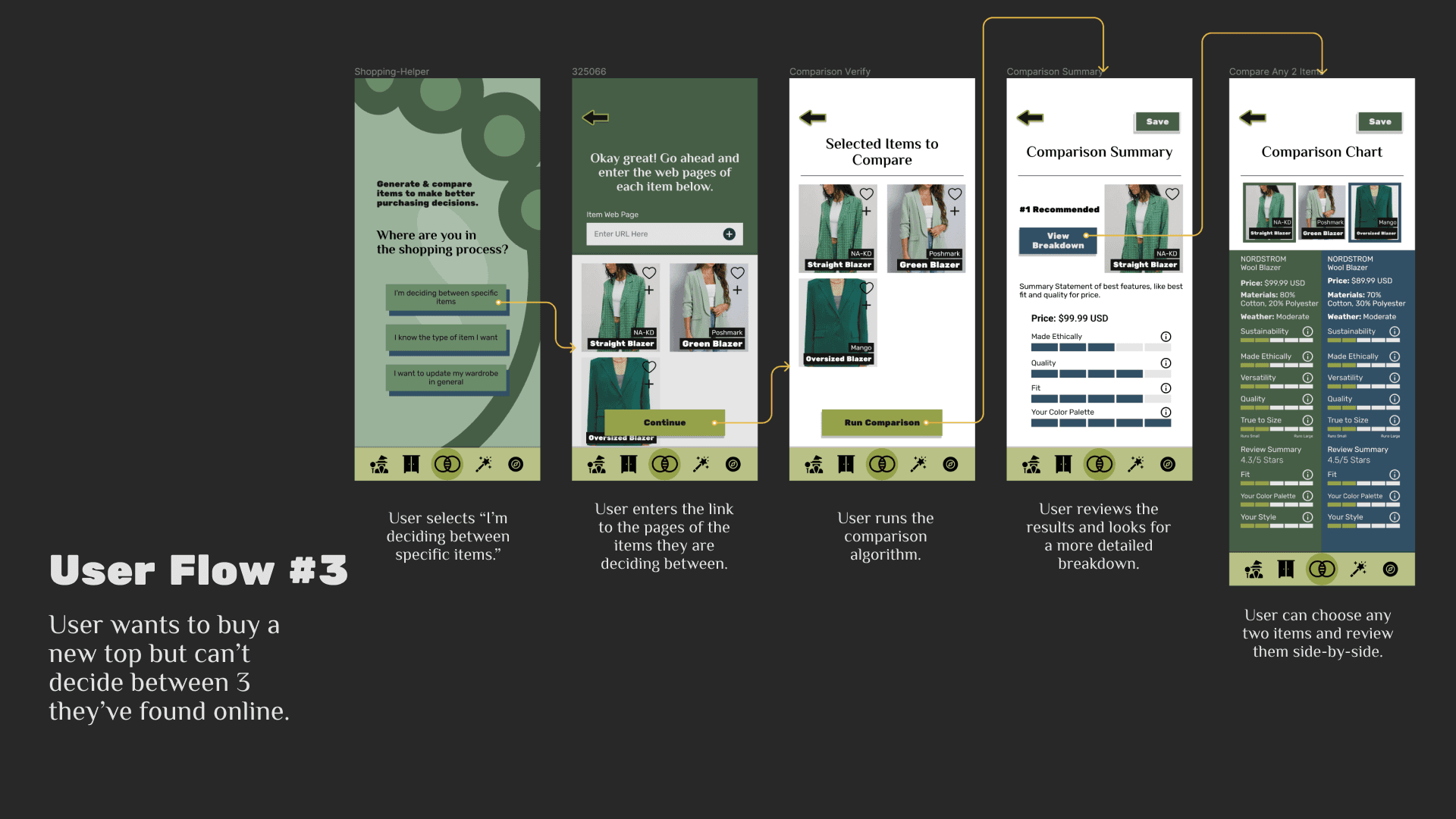
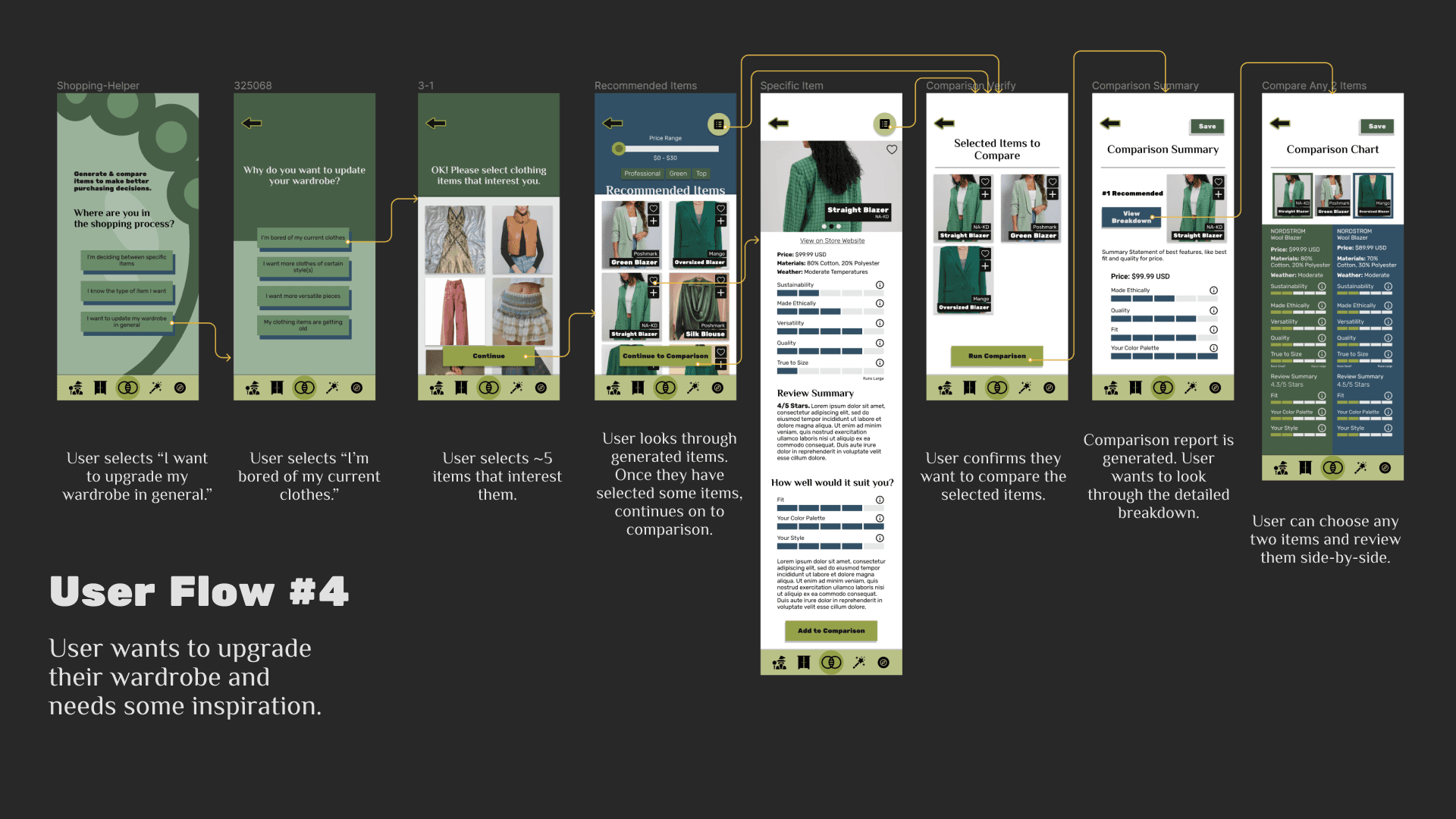
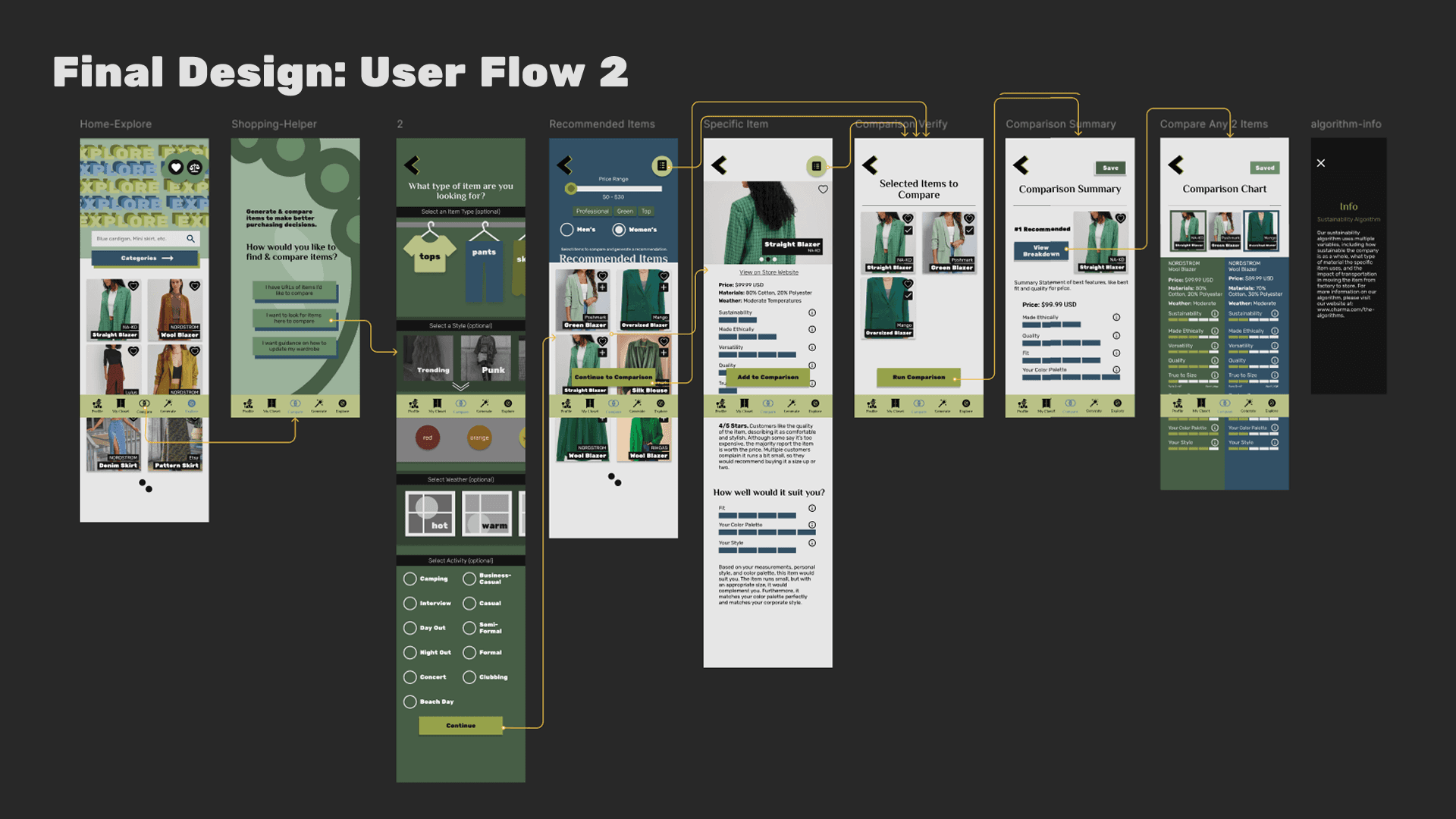
A user flow was made to understand what information and screens users would need to complete their goal.
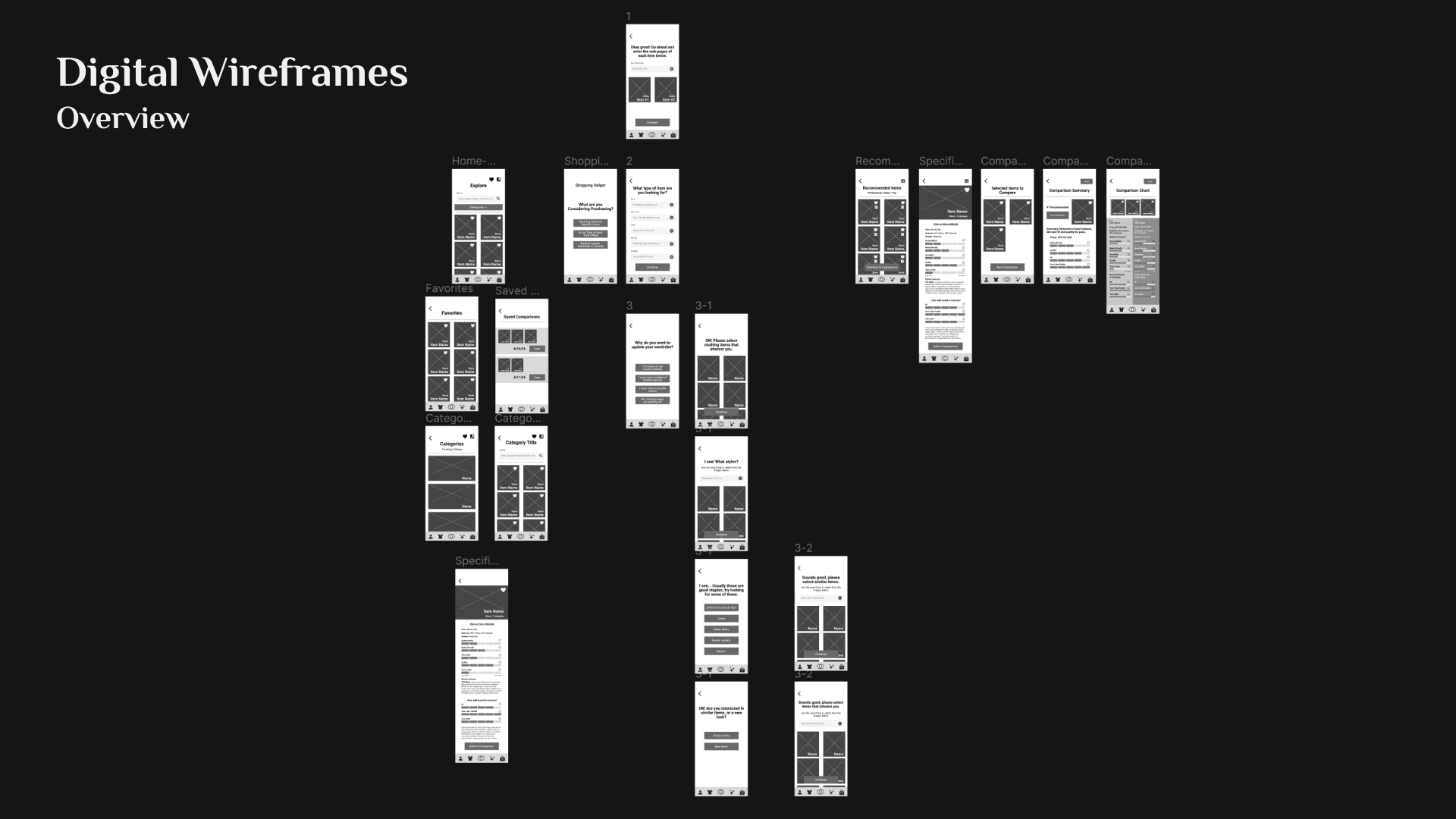
Low Fidelity Prototype
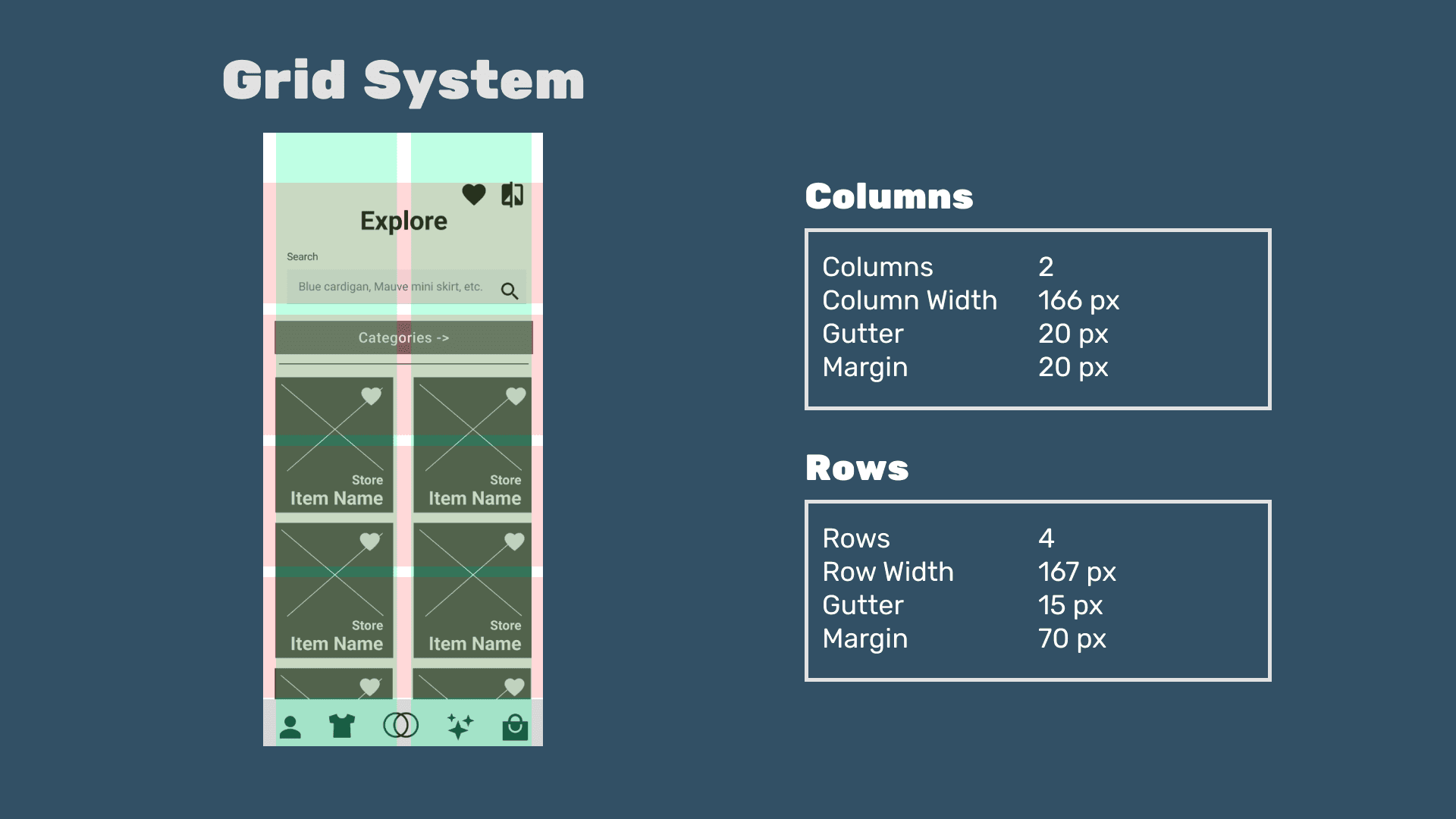
With the site map, initial wireframes for the project were created to receive initial feedback from Professor and class peers.
High Fidelity Prototype
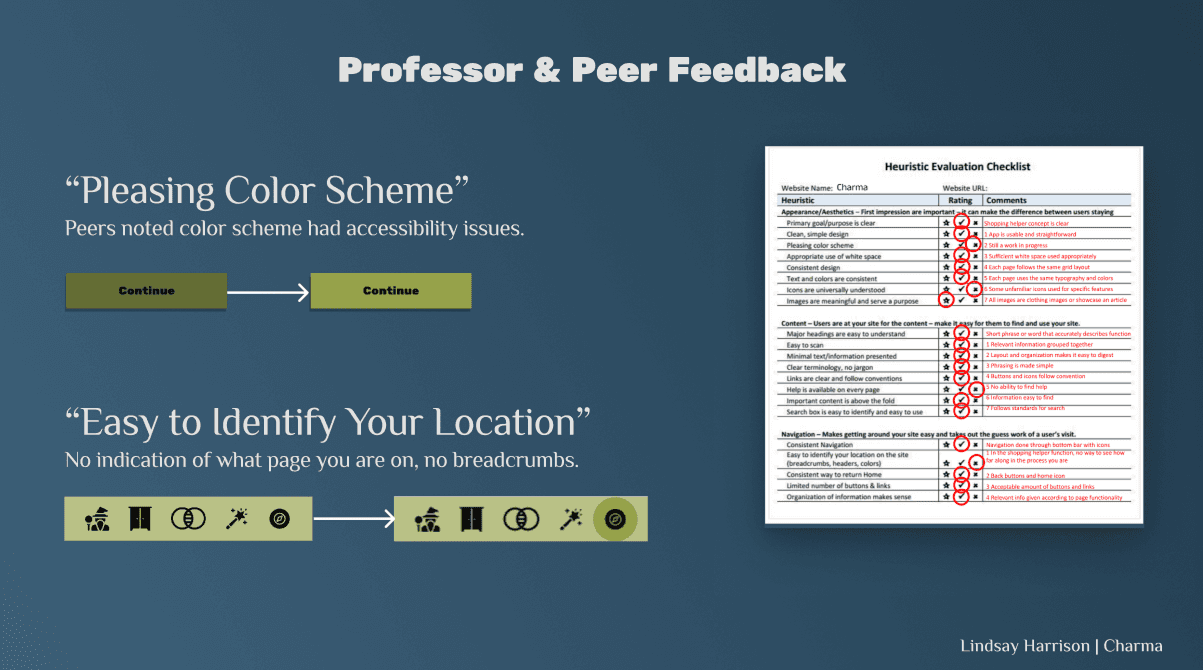
After peer review and heuristic evaluation of the initial wireframes, the prototype was upgraded to a hi-fi version.
Usability Testing
GOAL: Assess the design of the main user flow; test its usability and understand-ability with 5 target users.
Number OF Participants: 5
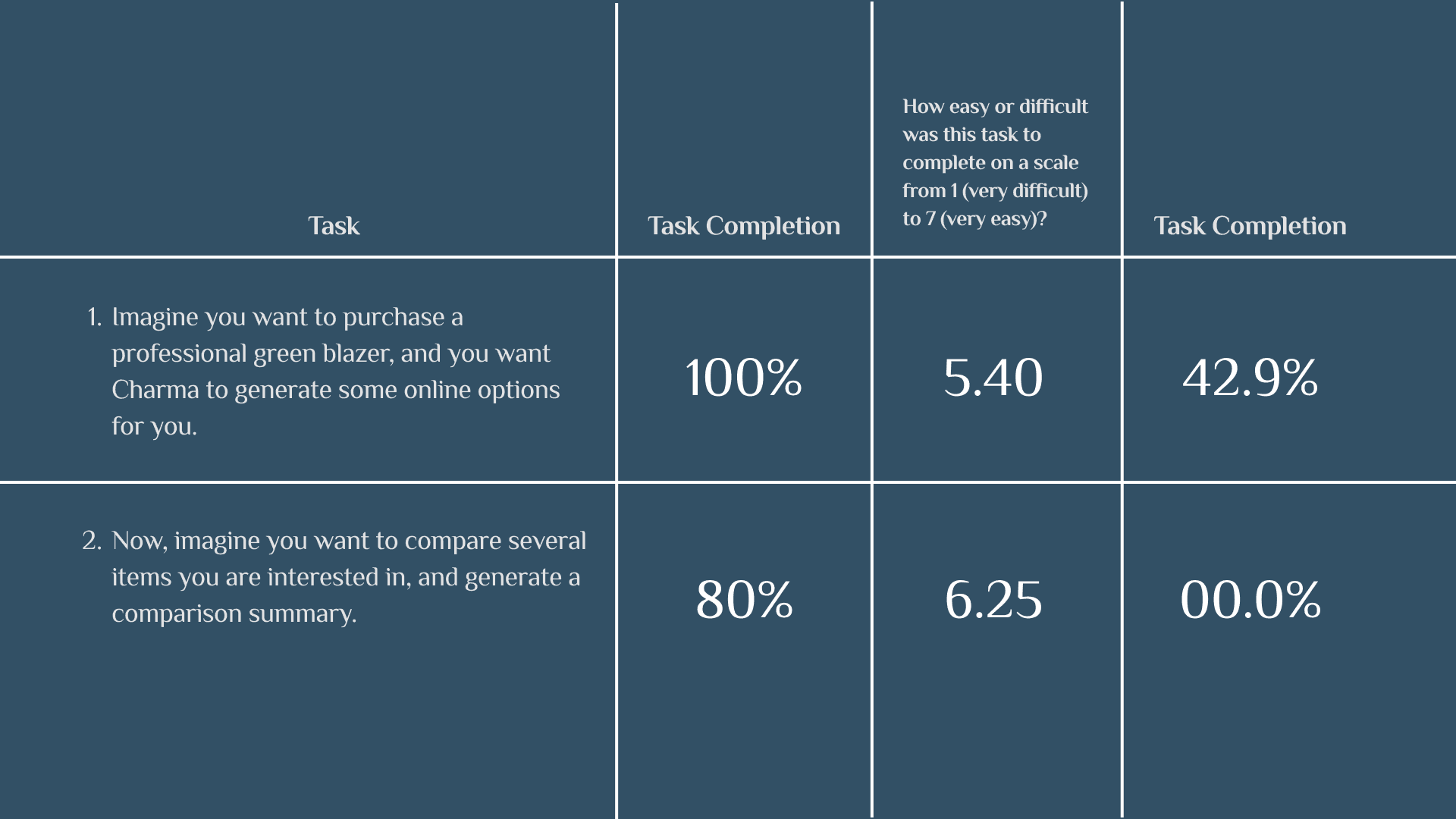
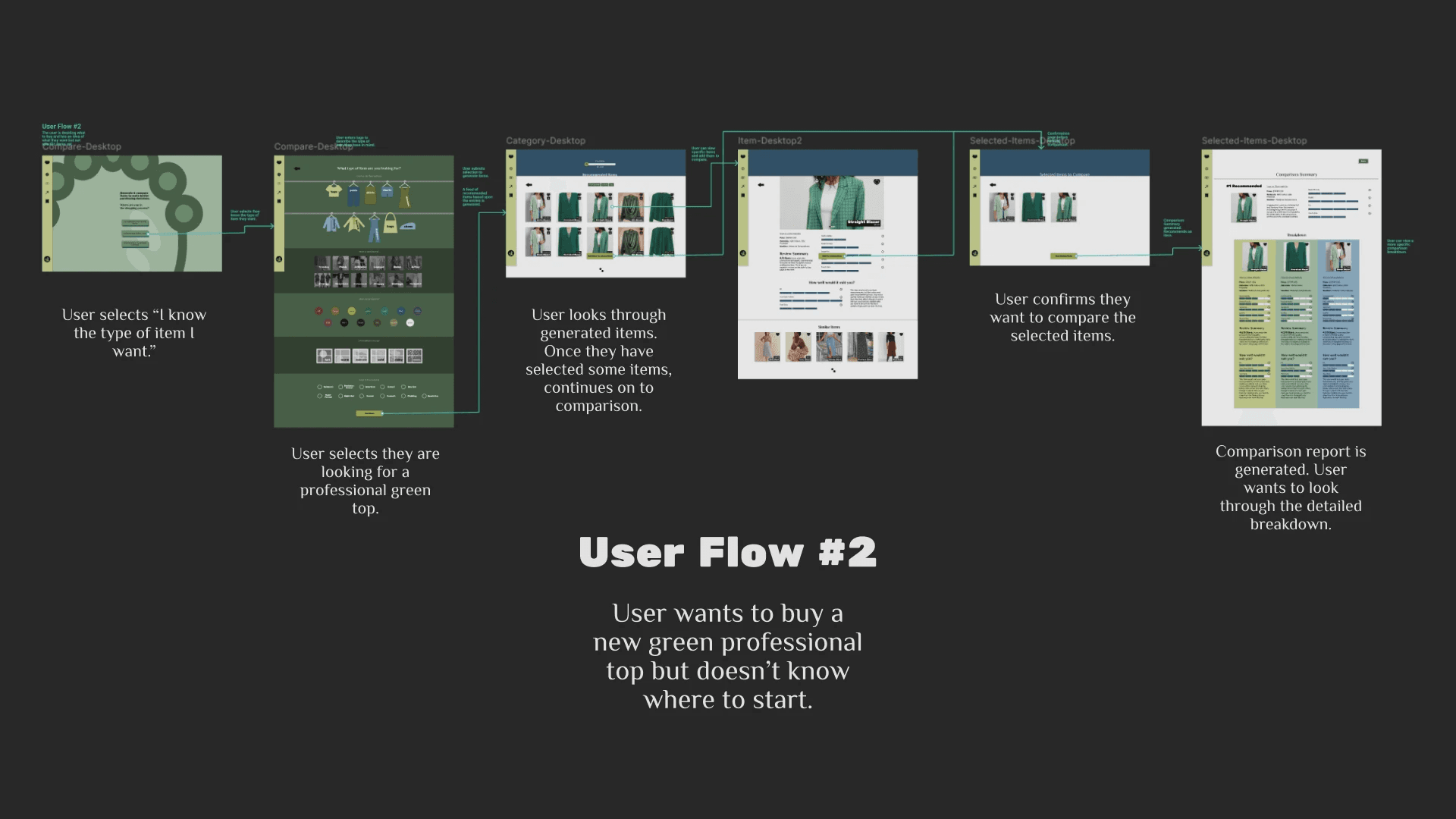
Created a quick 2-task usability test to assess the central user flow - user flow #2.
Tasks & Questions:
TASK #1: Imagine you want to purchase a professional green blazer, and you want Charma to generate some online options for you.
Overall, how easy or difficult was the task to complete?
TASK #2: Now, imagine you want to compare several items you are interested in, and generate a comparison summary.
Overall, how easy or difficult was the task to complete?
What would you expect to happen once you clicked "Run Comparison"?
Do you have any final thoughts on what you saw today?
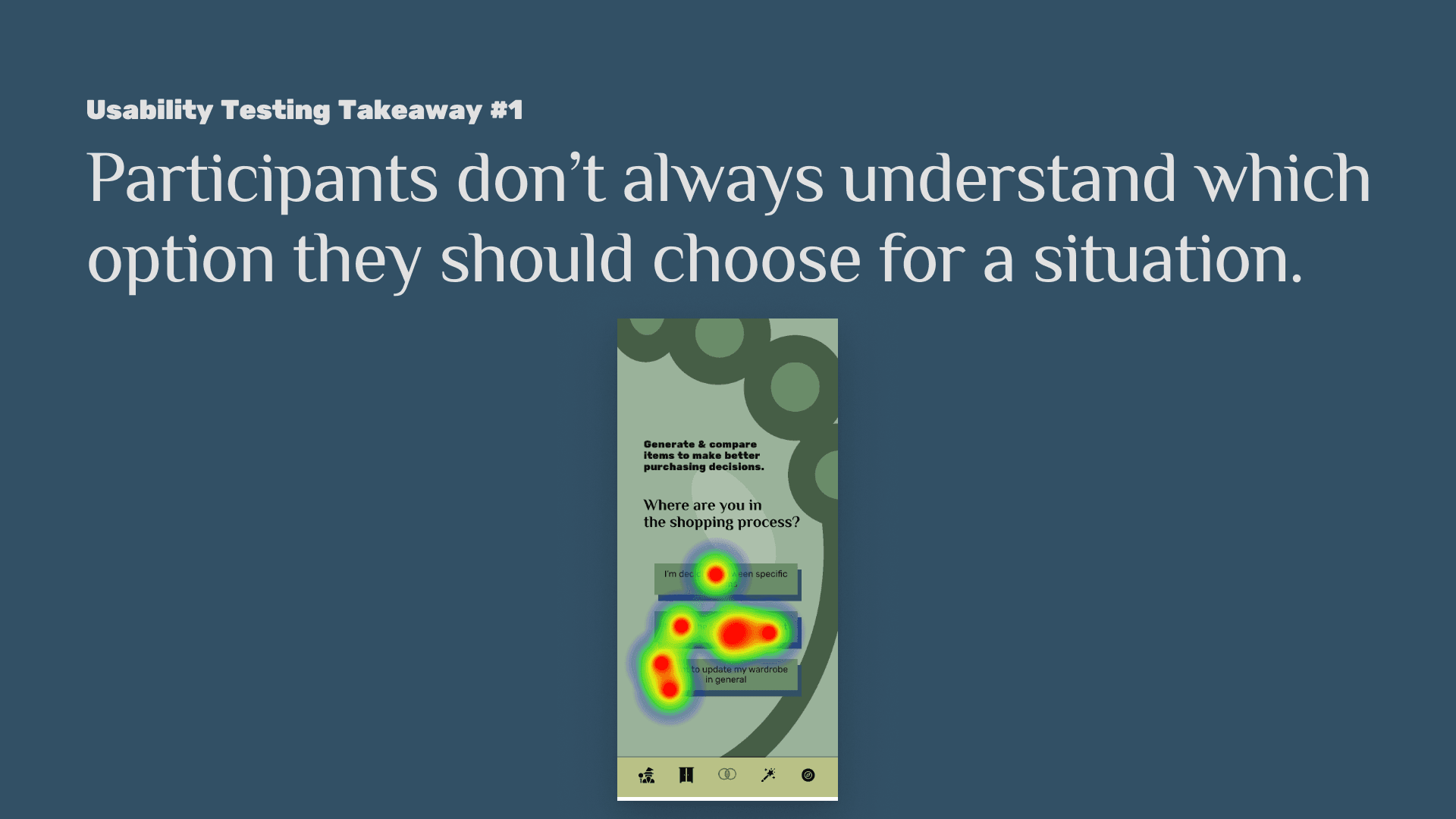
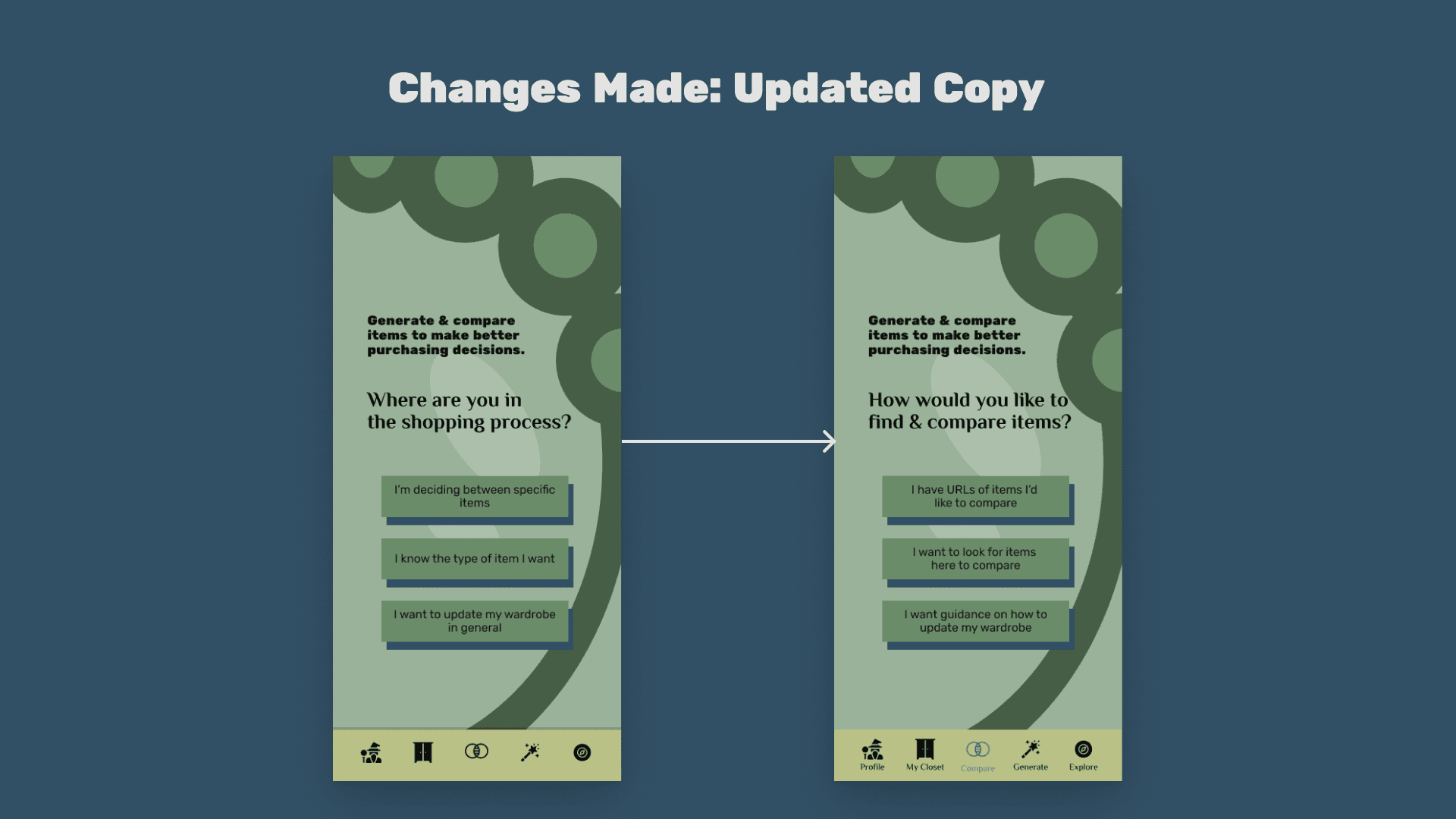
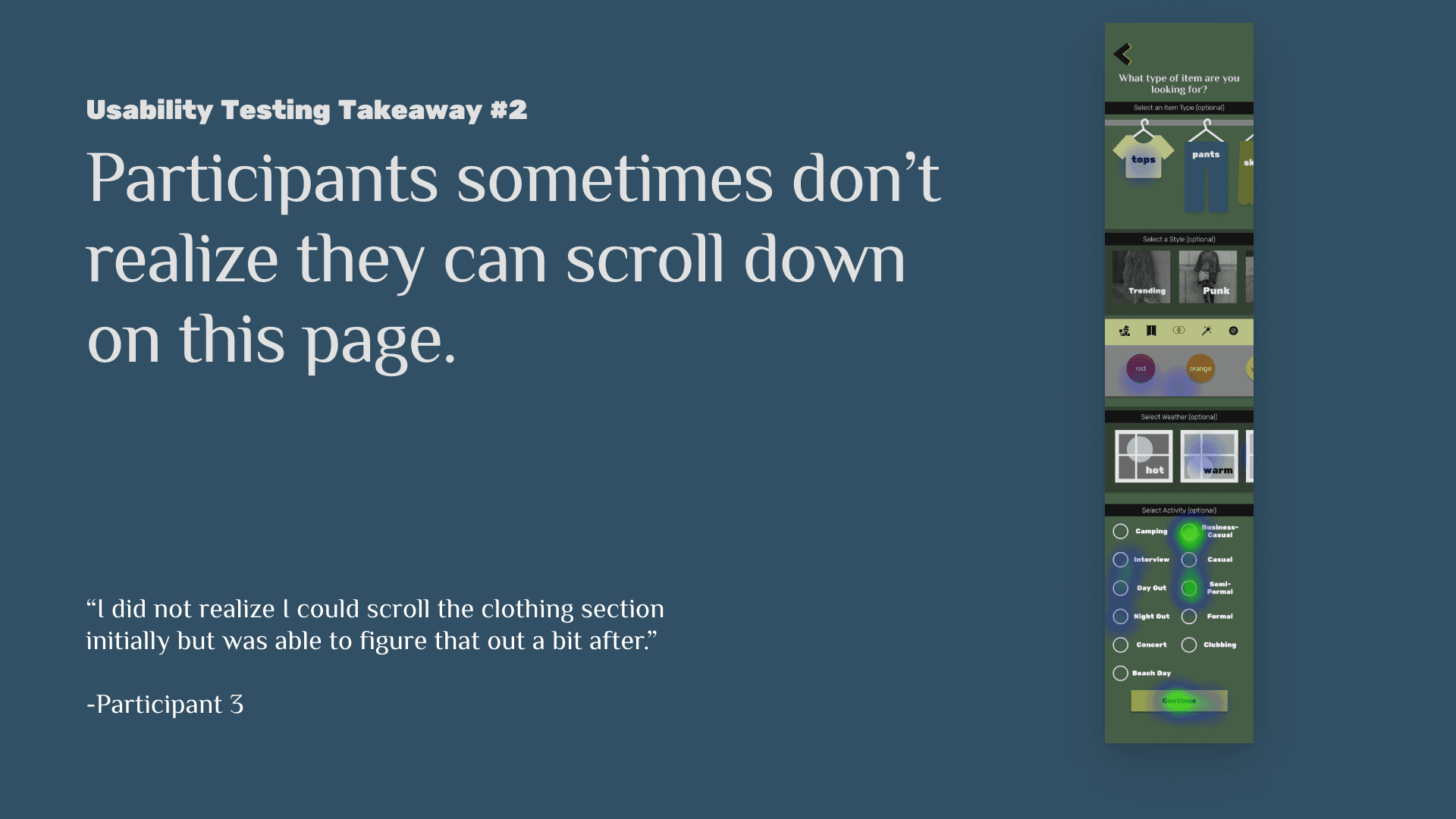
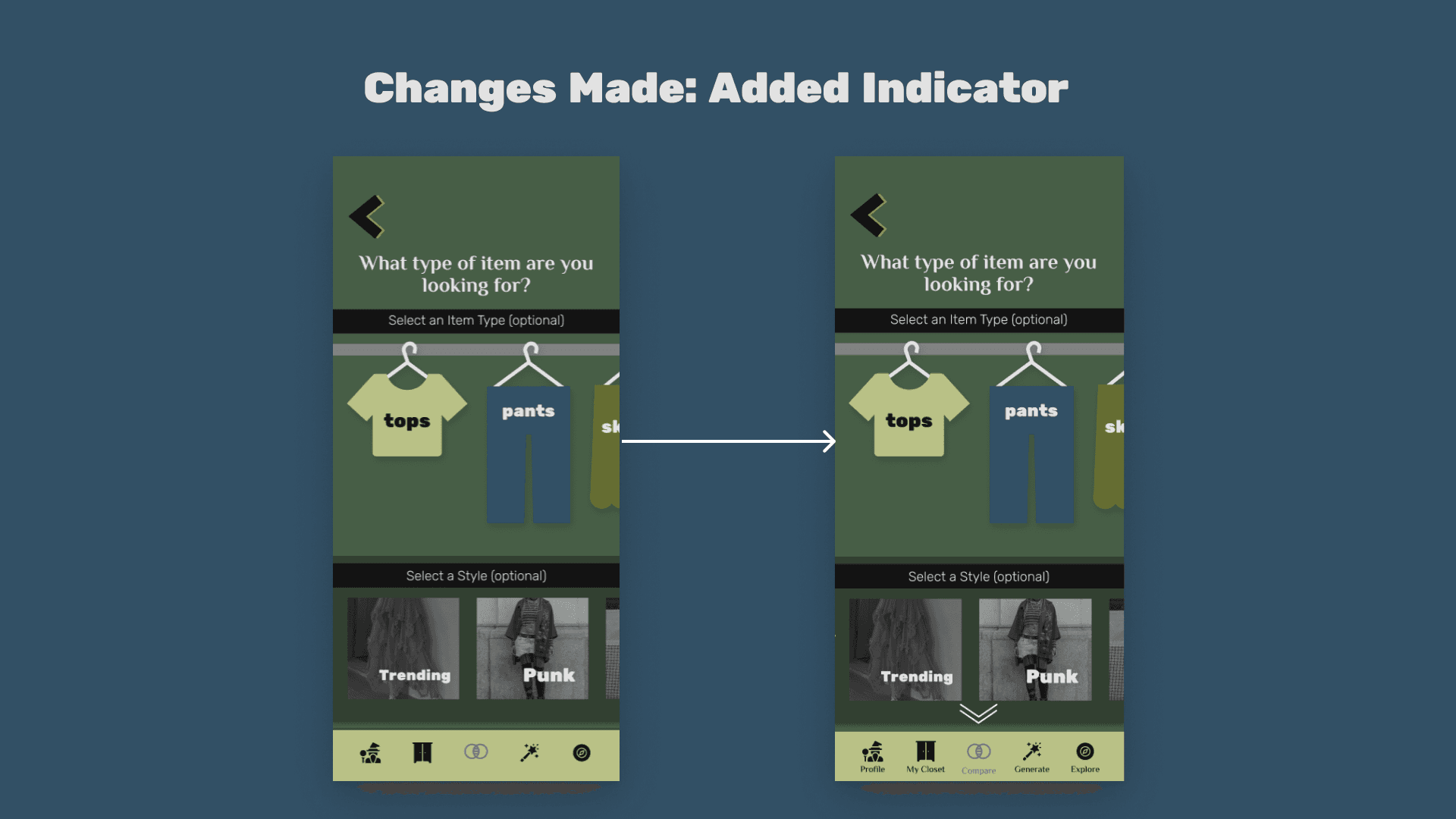
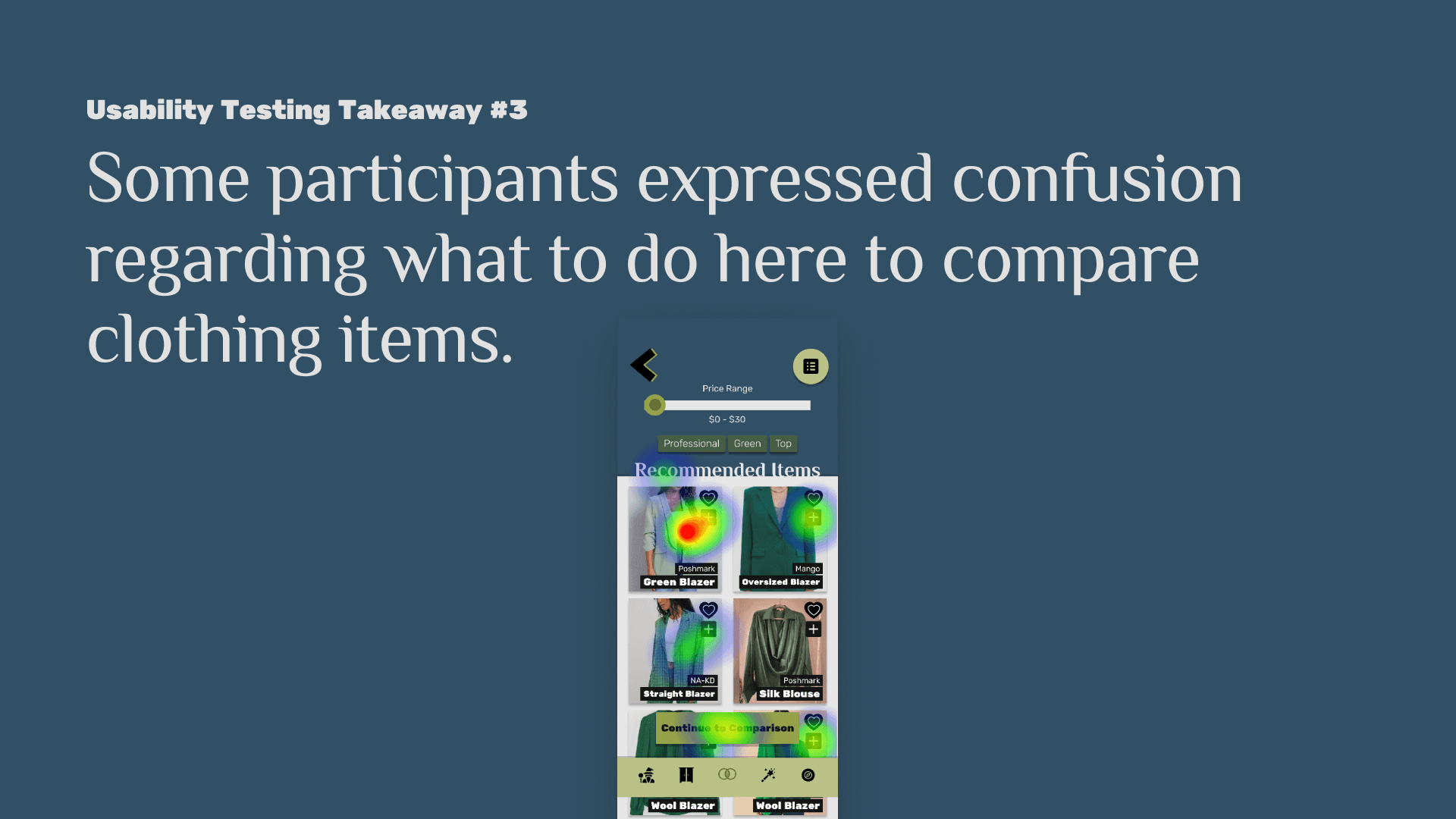
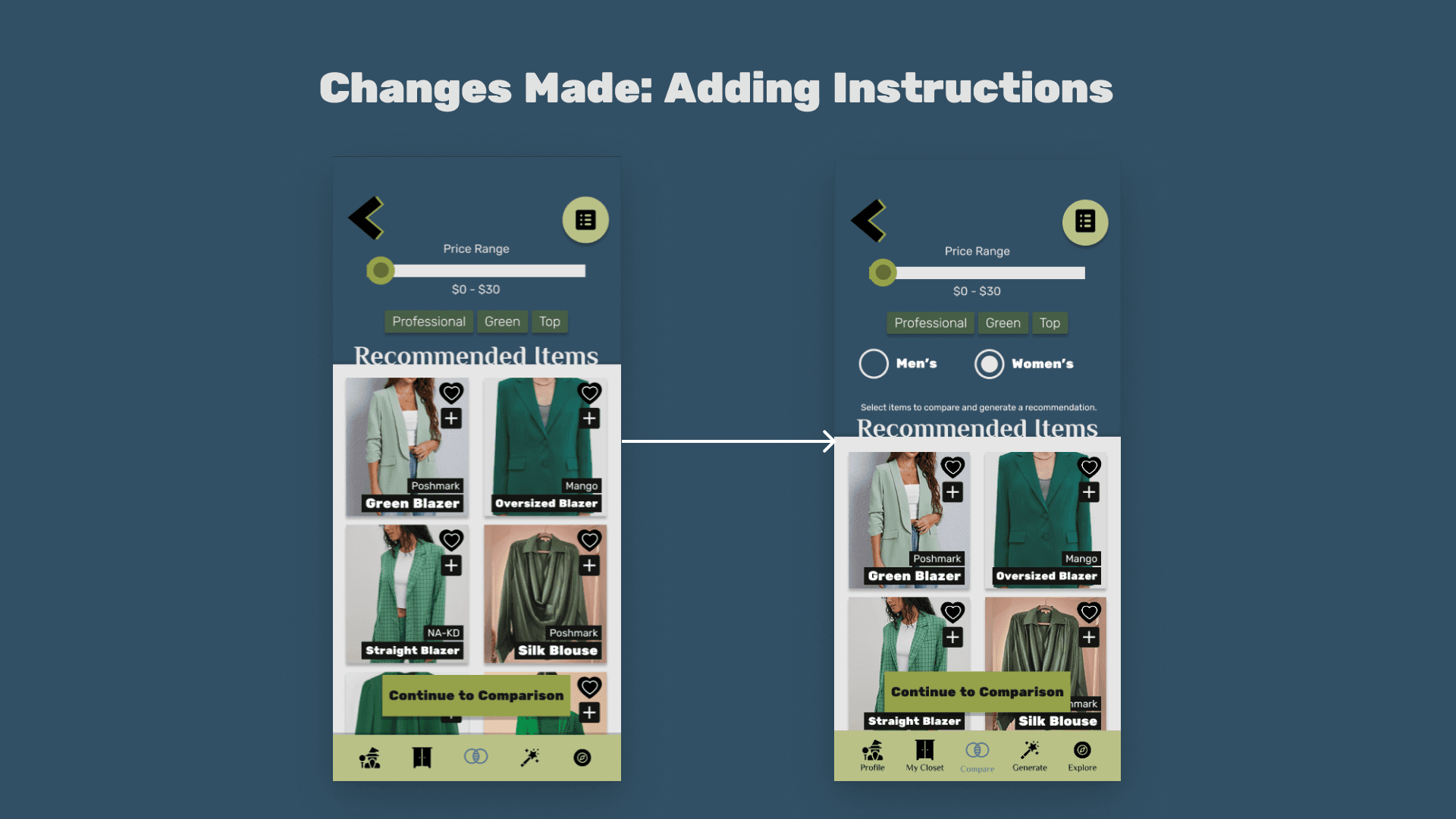
Takeaways & Updates:
Desktop Prototype
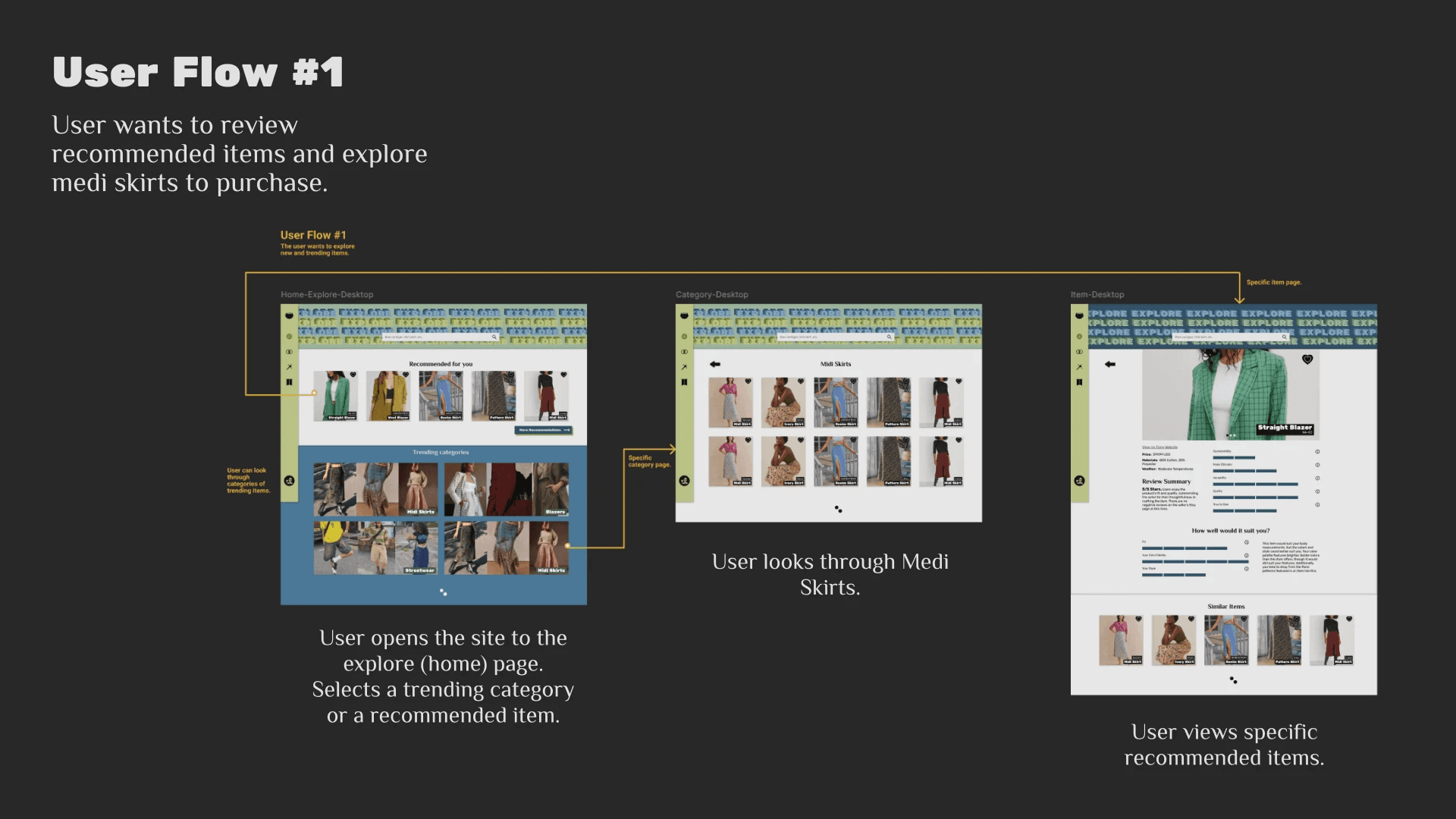
Before testing the app prototype, a desktop prototype was also made to apply principles of responsive design to the project.
Next Steps
User Testing & Updates
Understand if the current design satisfies user needs and make necessary adjustments.
Future Features
Design and test several other features laid out in the sit map.
Development
Collaborate with a developer to build the app and test a more finalized product.
Key Project Takeaways
Layout and styling should be based both on what’s familiar and intriguing to the user. Design should be both for delight and emotion as well as functionality.
Moreover, user research is important - sometimes what you anticipate being the main feature will be a lot less important than another feature you were considering.
lindsay
HArrison
(C) 2024 by Lindsay Harrison. Created with Figma & Framer.